
Cable Television with Astra for Hospitality Industry
Hospitality TV, offering an excellent TV solution with high-quality broadcasts and a selection of the best channels, is an essential part of hotel service.
The number and quality of channels create a positive impression on guests. However, this is where the challenge arises. Hotels need to either modernize their existing TV network or design a new one, finding a balance between equipment costs and required services. We suggest considering the Astra software, which boasts powerful and flexible features when used in conjunction with a DVB-C modulator. In this article, we will explore the pros and cons of such a solution and walk through the steps to set it up.
Advantages of cable television
Section titled “Advantages of cable television”- built on a regular TV cable, you can use the existing hotel network
- a large number of channels with no quality restrictions
- any TV set is capable of receiving cable TV. You don’t need any additional hardware in the guests rooms
- network reliability
- broadcasting control such as monitoring, configuration, channel switching, etc. All this is possible with Astra Web Interface
- last but not least, you can simply expand the number of video sources and channels. Astra allows you to receive an input signal not only from DVB cards, but also from a network (HTTP, HLS, UDP, RTSP), as well as create your TV channels from your video recordings.
Disadvantages
Section titled “Disadvantages”- the cost of the headend, including DVB-C modulator and DVB cards for receiving
- some old TV sets may not support DVB-C standard for cable TV
Hardware
Section titled “Hardware”
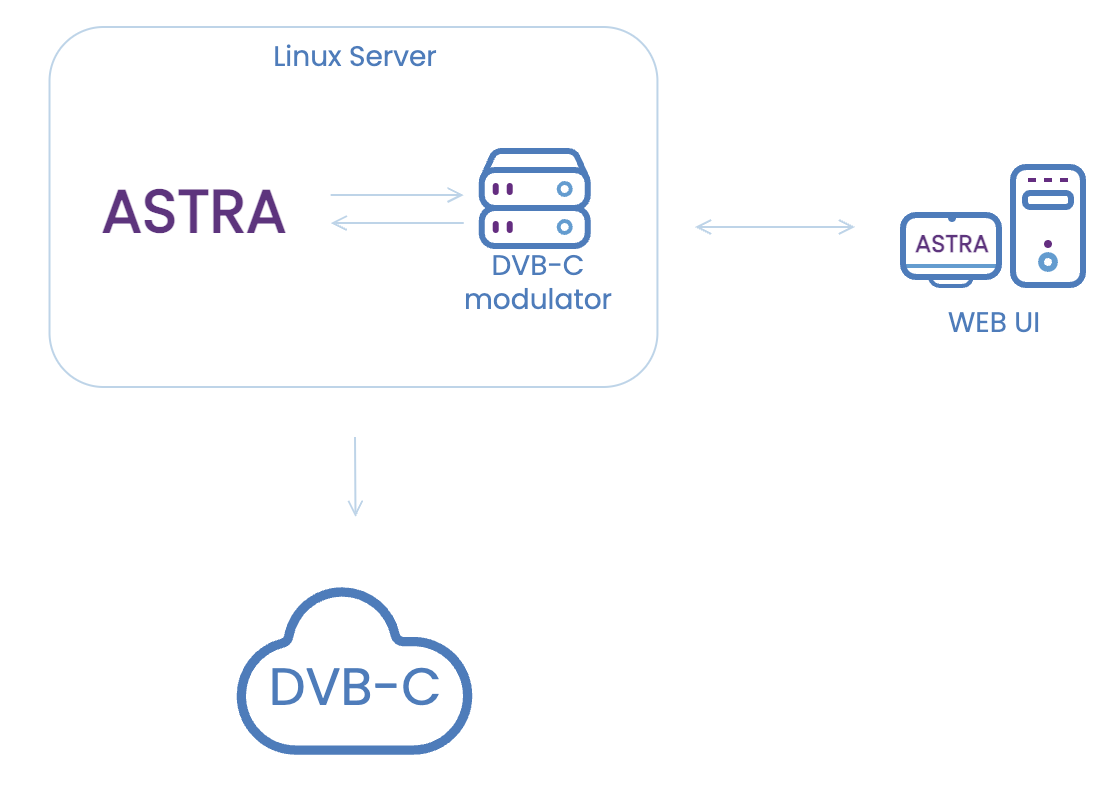
This simple diagram is used for the illustration. We have a Satellite signal, Linux-based Server PC with DVB-S/S2 card(s), and RESI DVB-C FSM Modulator card(s).
DVB-S/S2 Receiver
Section titled “DVB-S/S2 Receiver”For receiving satellite channels you may use any DVB-S/S2 adapter with drivers for Linux.
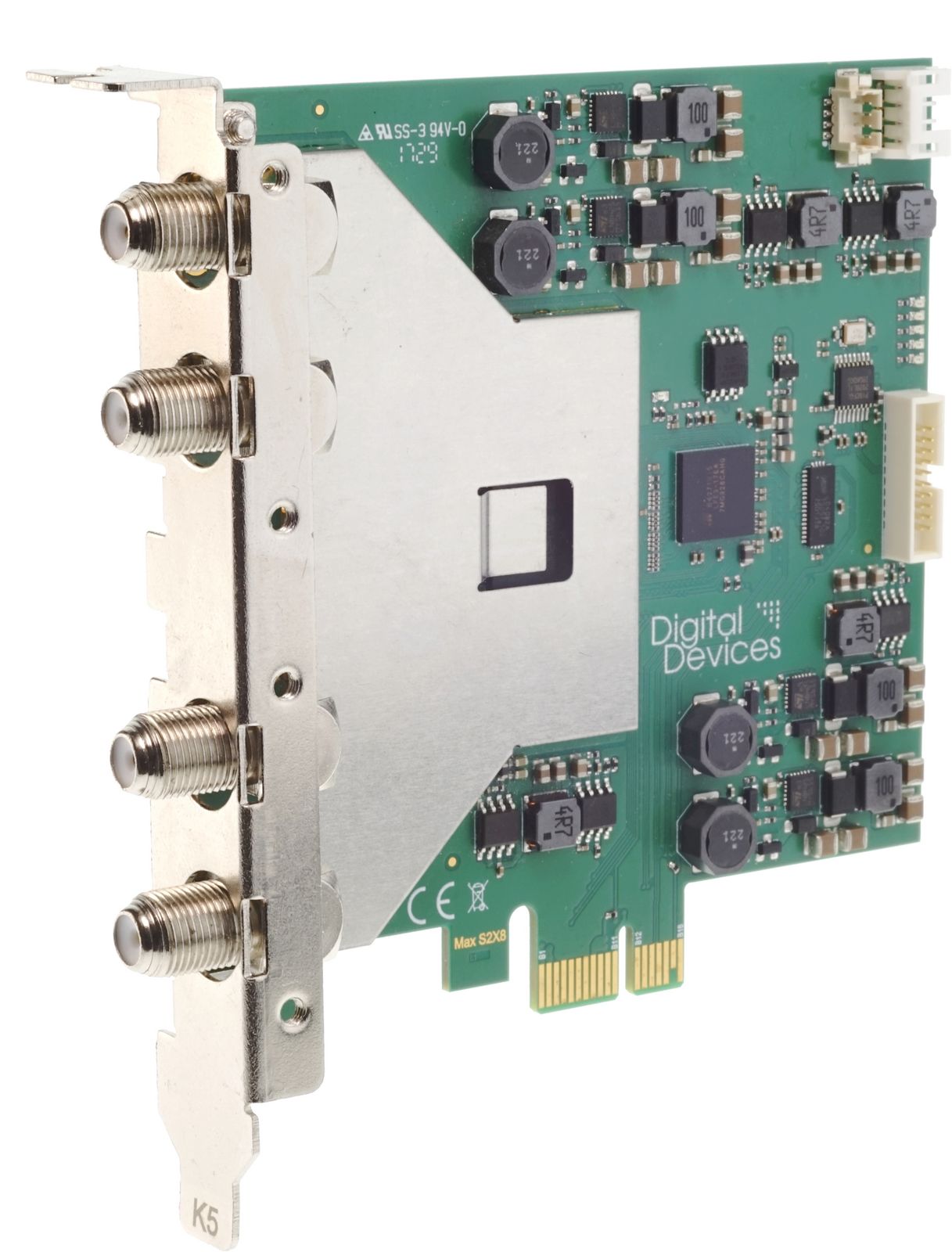
Most popular DVB receivers are:
- Digital Devices MAX SX8 Pro
- Digital Devices Max M4 - all-rounder for satellite, cable or terrestrial reception
- TBS6909-X
DVB-C Modulator
Section titled “DVB-C Modulator”In this article, we consider simple steps on How to set up Astra for DVB-C Modulation using RESI DVB-C FSM 8. Also you may use TBS6004 modulator.
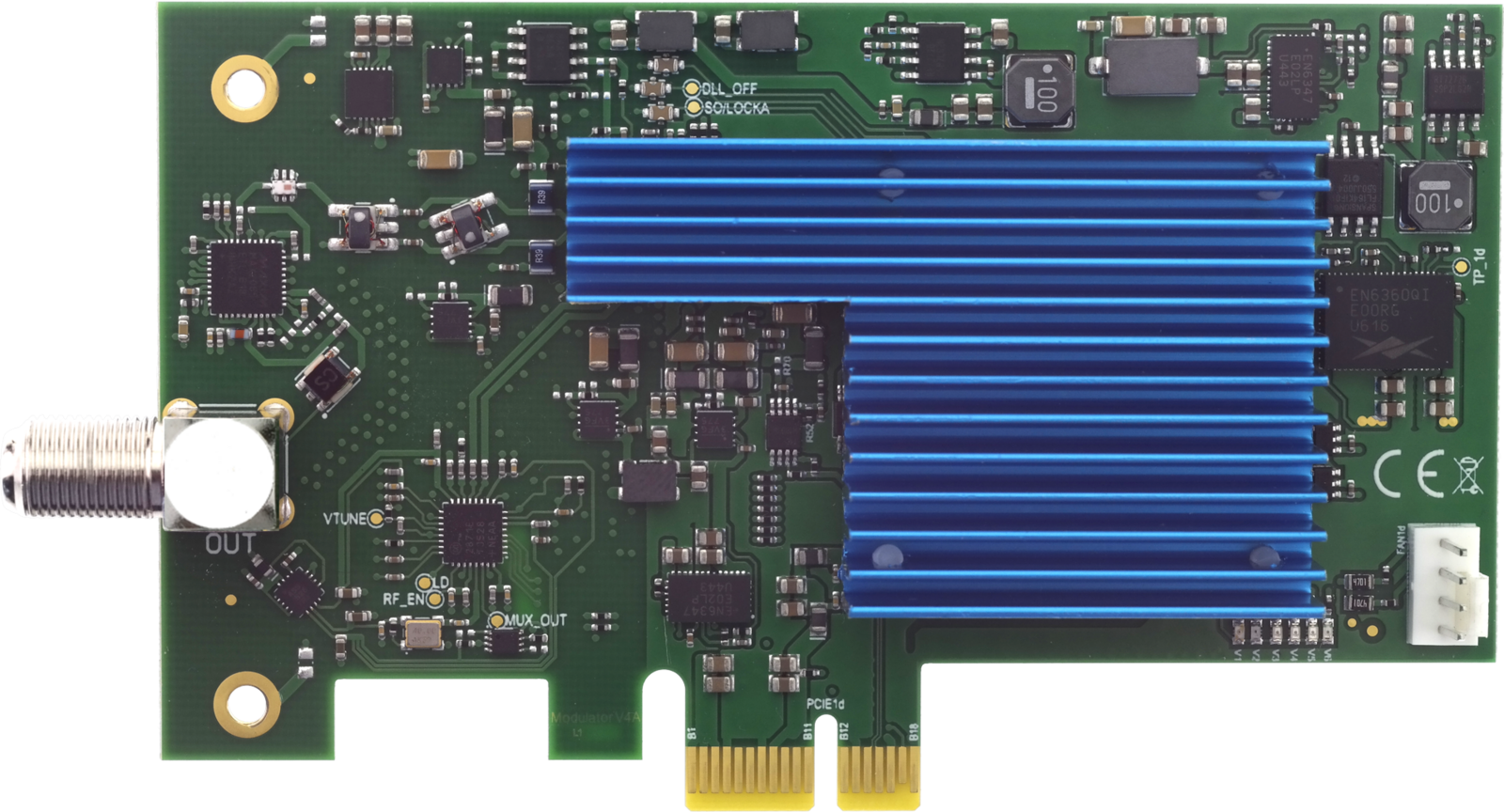
Short description:
- RESI DVB-C FSM 8 has 8 transponders according to DVB-C specification
- Frequency range: 114 - 858 MHz
- Symbol rates: 1.0 - 7.1 MSym/s
- QAM: 16, 32, 64, 128, 256
- Signal / Noise ratio: 42dB
- Output with 8 active transponder: 101 dBµV
- The FSM8 can make up to 7.1 MSym/s and QAM256. The maximum delivered bitrate is about 52Mbps
According to that, we may calculate how many channels we may put on a single transponder and on all available transponders:
- 4 x HD channels ~7Mbps = 28Mbps
- 4 x SD channels ~3Mbps = 12Mbps
Approximately we can get 8 channels at one transponder, multiplied by 8 transponders we can get up to 64 channels in your DVB-C network. This is combination of channels may be different, it is up to your needs. If you need more channels you may get RESI DVB-C FSM 16 or 24.
Requirements
Section titled “Requirements”Hardware
Section titled “Hardware”- Server PC, at least Quad Core Intel® or AMD® CPU 2.8GHz, 8Gb RAM, with 2 or more PCIe slots, depending on the quantity of PCIe cards
- DVB-C Modulators (RESI or TBS)
- DVB-S/S2 or DVB-T/T2 TV Cards (as an example)
Software
Section titled “Software”- Linux-based operation system. We recommend Ubuntu 22.04 LTS
- Cesbo Astra
- DVB Card drivers
- Internet Browser on your PC. Chrome, Safari, or Firefox
Configure Astra
Section titled “Configure Astra”Install Astra
Section titled “Install Astra”First of all, we need to prepare our server machine and install Linux and Astra. Information about Ubuntu installation could be found on the official web site
Astra installation is simple – just copy a single binary file to your server. Here, in detail, you may find how to Install Astra
Quite often customers forget to configure their Adapters before the next steps. So be sure that you have DVB card drivers installed on the server.
- DigitalDevices Driver Installation
- TBS Driver Installation
- For other adapters you may find information on the vender web site
Receiving channels with Astra
Section titled “Receiving channels with Astra”Now is the time to configure all our Adapters and find channels, which we want to Modulate over DVB-C.
To configure receiving channels from satellite we recommend to having a look at these articles:
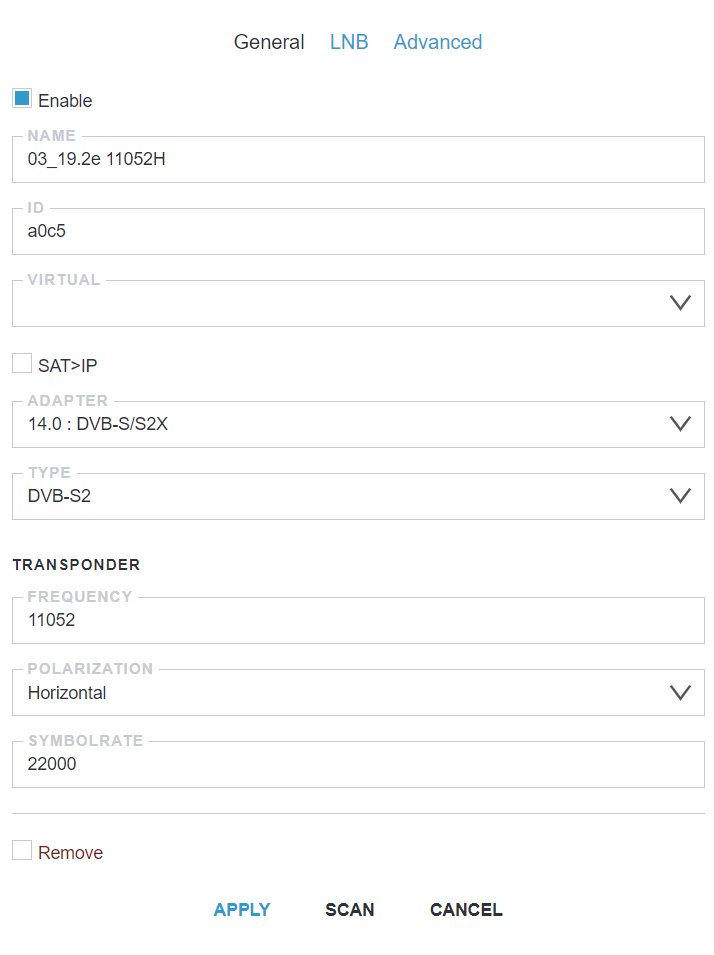
Below provided screenshot of example adapter settings:
Scan and select the required channels
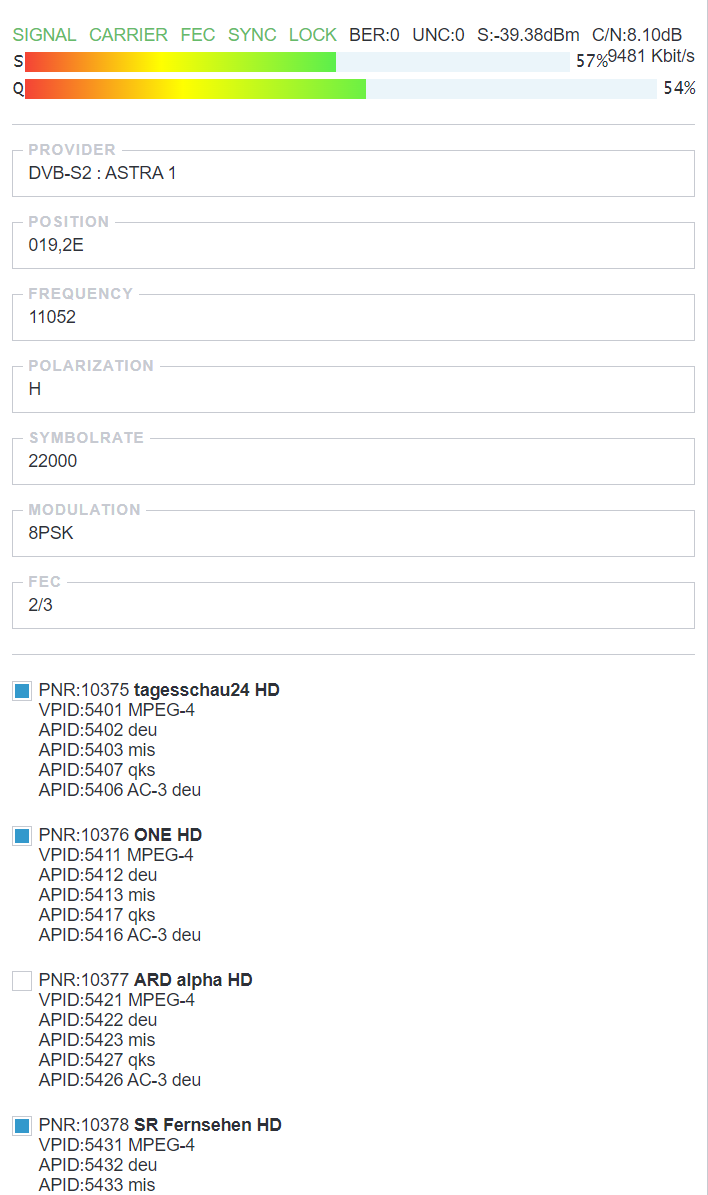
Section titled “Scan and select the required channels”When we figured out how to configure our Adapters, we may make a scan of the required Transponder (frequency) and append channels to Astra by selecting all the programs you want to add.

Create New Stream with MPTS
Section titled “Create New Stream with MPTS”MPTS is a Multi Program Transport Stream (or multiplex) is a stream containing several services (programs). It is used to transfer channels to ip-qam/ip-asi modulators and multiplexers. Below are screenshots of most general configuration pages
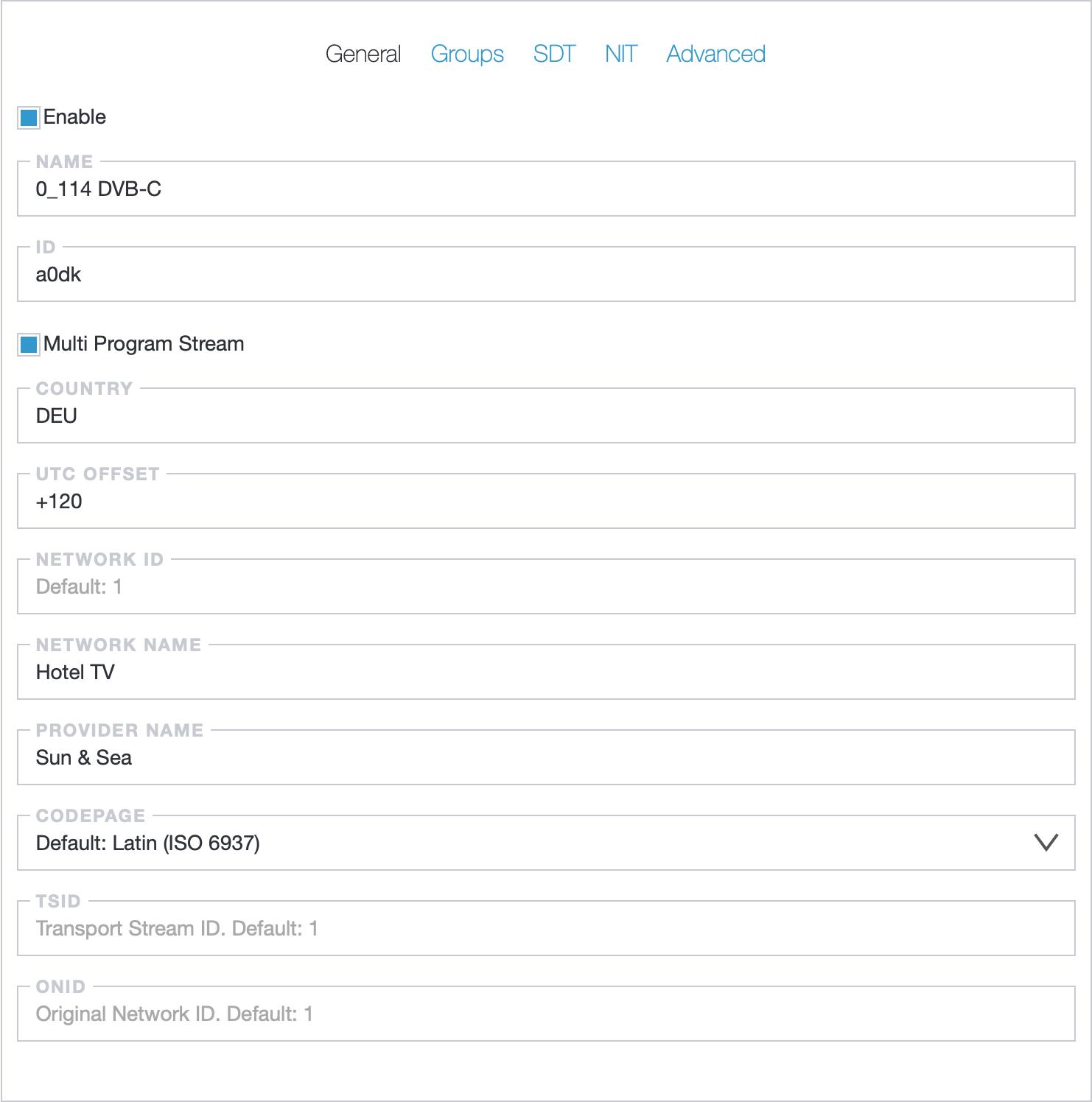
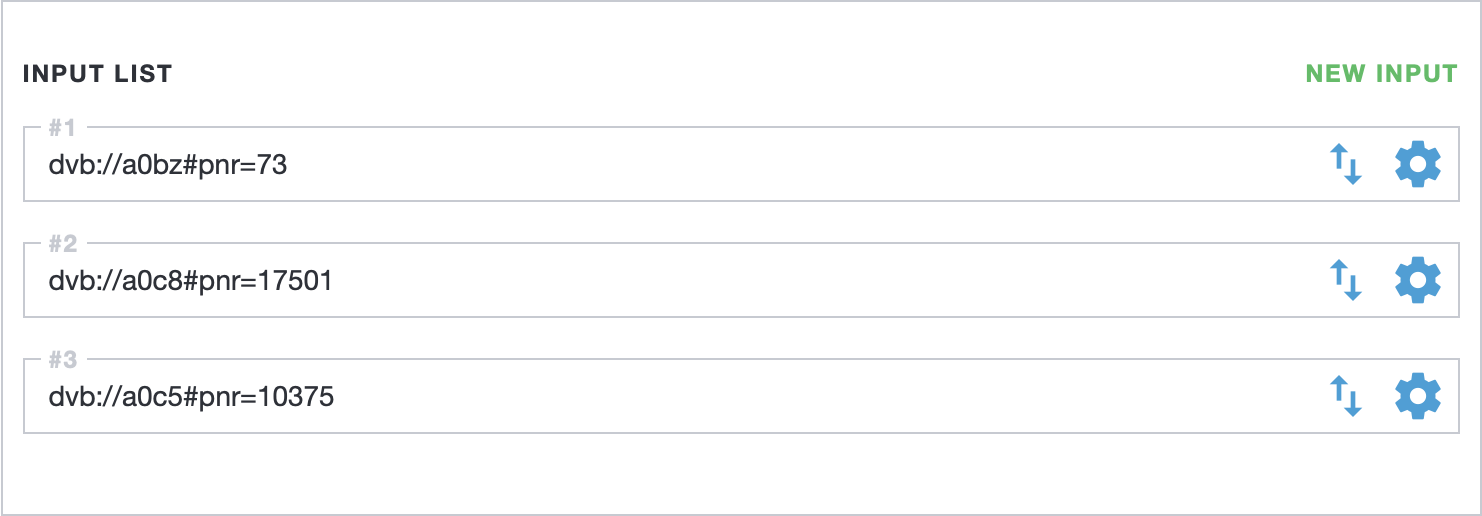
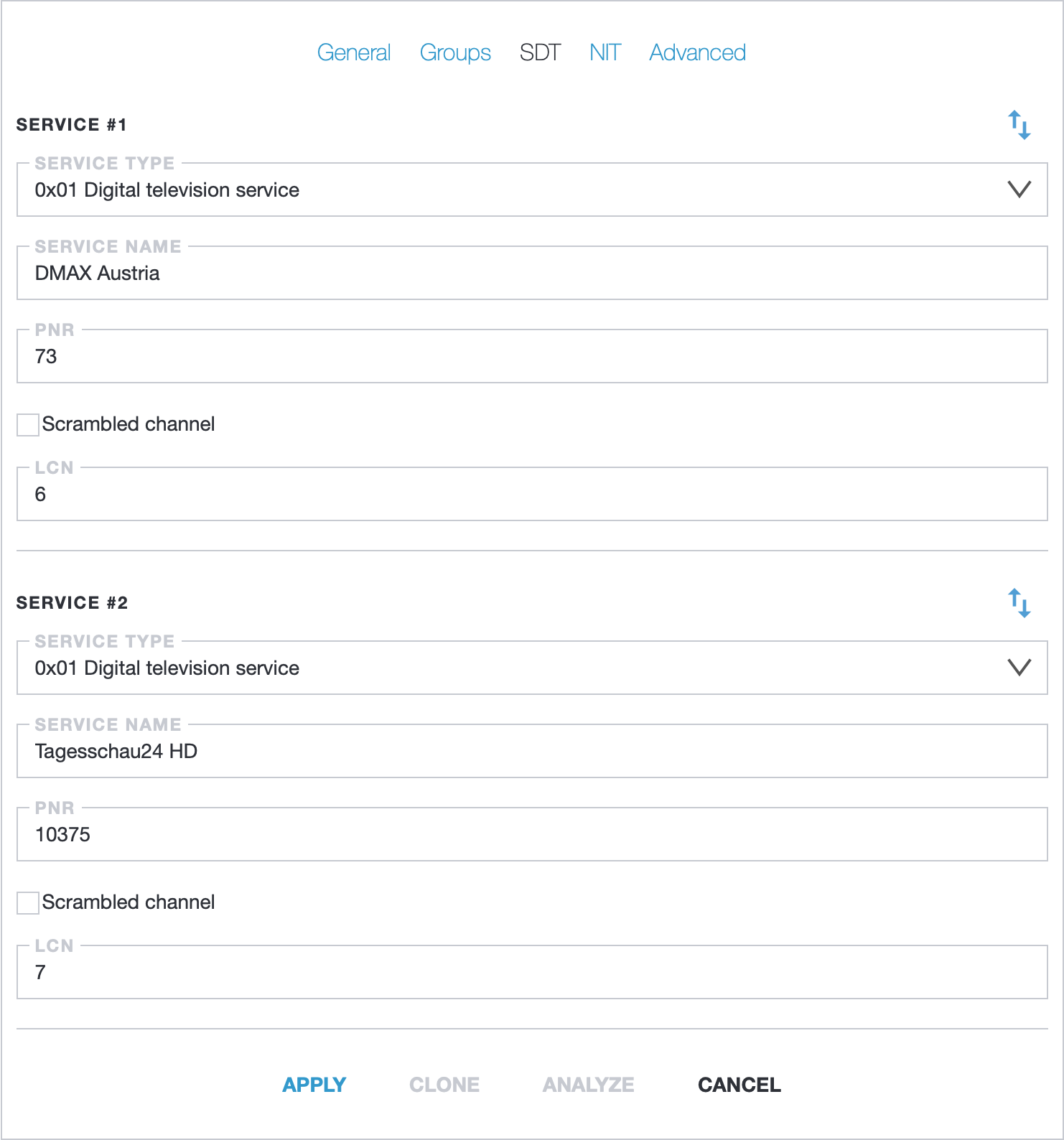
In the SDT settings should be provided all information about channel:
Service Name- program namePNR- program number should be same as in the input listLCN- logical number defines what channel number will be on the TV set
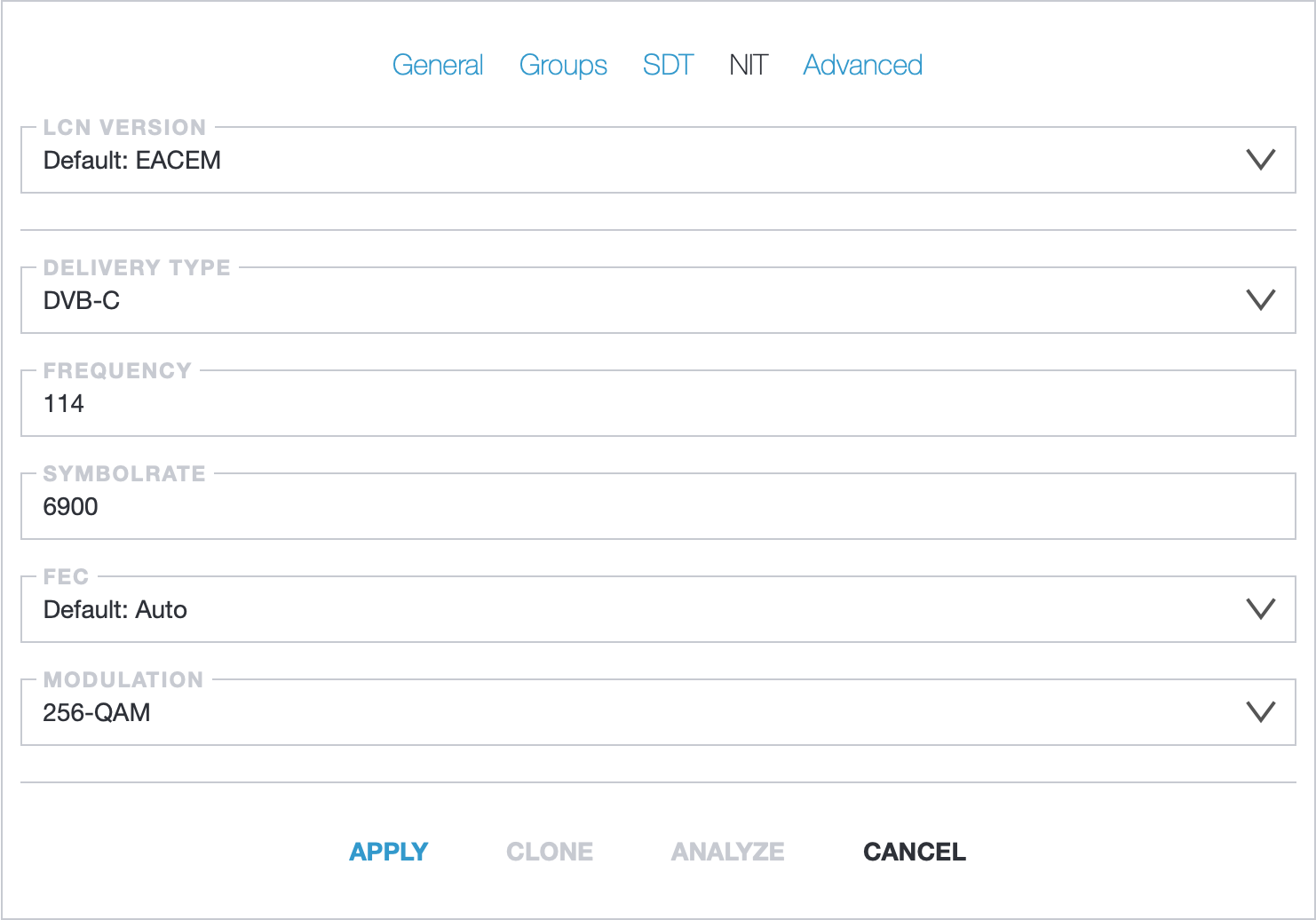
In the NIT settings provide information for DVB-C transponder.
Setting up the Modulator
Section titled “Setting up the Modulator”At this point, we have already found and added all the necessary channels in Astra, created a New Stream, and configured the MPTS, which should be sent to the modulator. To configure the Output signal to the RESI DVB-C modulator we need to know the Number of RESI adapters in the system.
On the server console find the card number and modulators using the command:
find "/dev/dvb" -name "mod*"In the output - we get the number of the adapter and its modulators like:
/dev/dvb/adapter0/mod0adapter0- adapter number in the systemmod0- device number (transponder) on this adapter. Range from 0 to 7 will be for FSM8 modulator
Now it is a turn to configure the Output signal to the RESI DVB-C modulator in the MPTS settings

As a result, we should get a fully configured Stream, as shown in the screenshot:

Monitor and manage
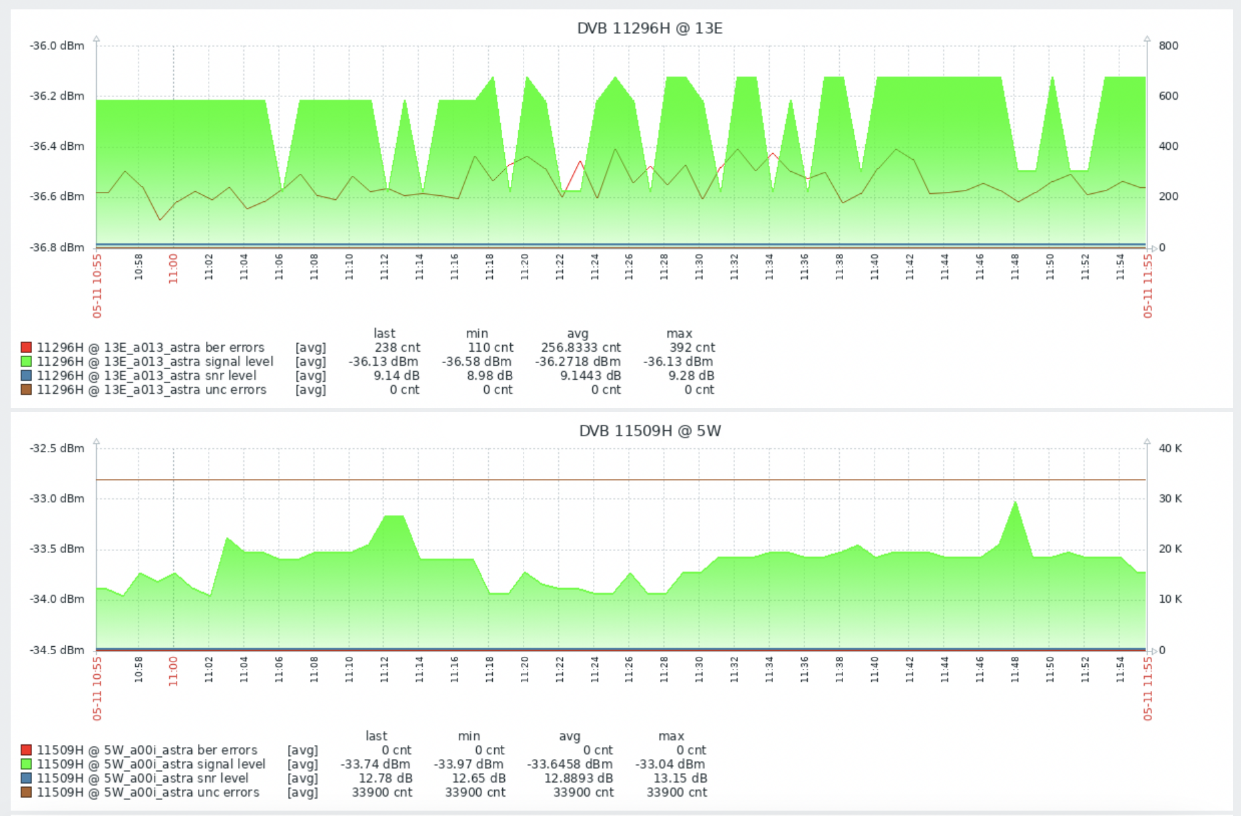
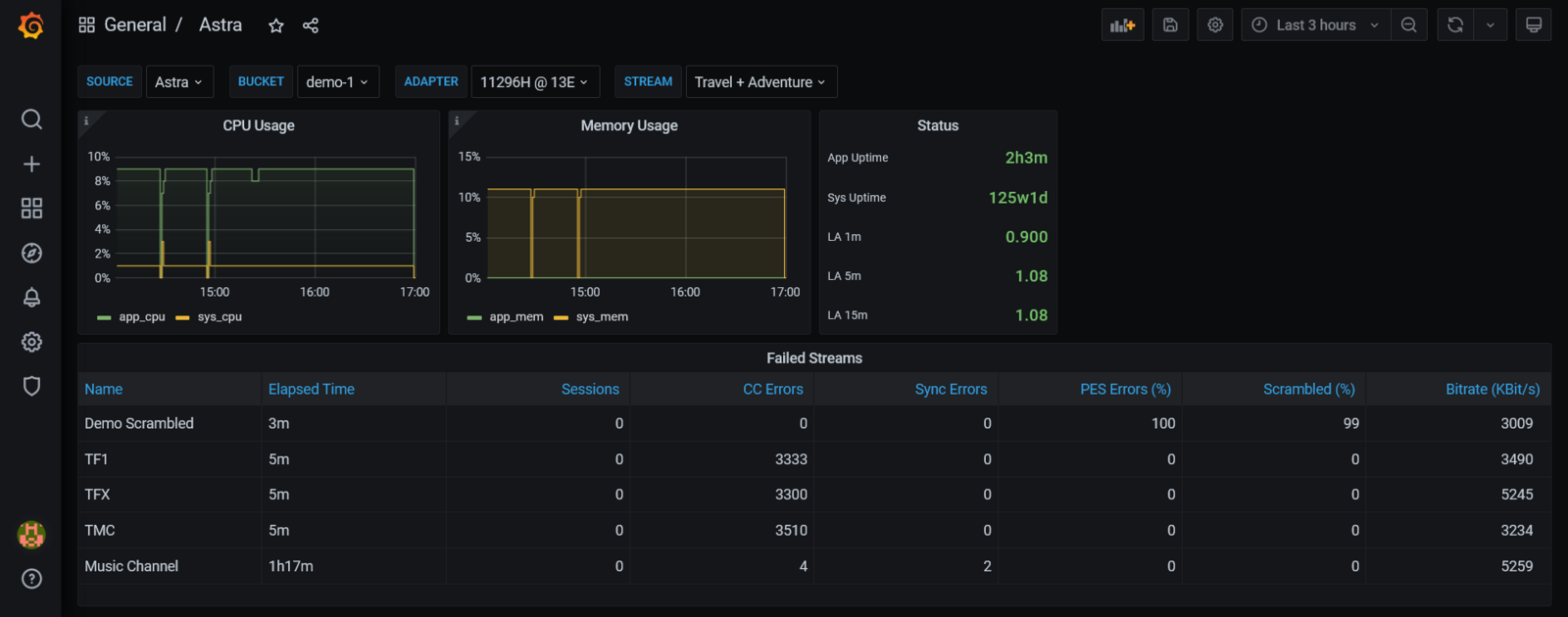
Section titled “Monitor and manage”With Astra, you may Analyze the quality and stability of transport streams. Export statistics and events to external systems like Zabbix or Grafana.
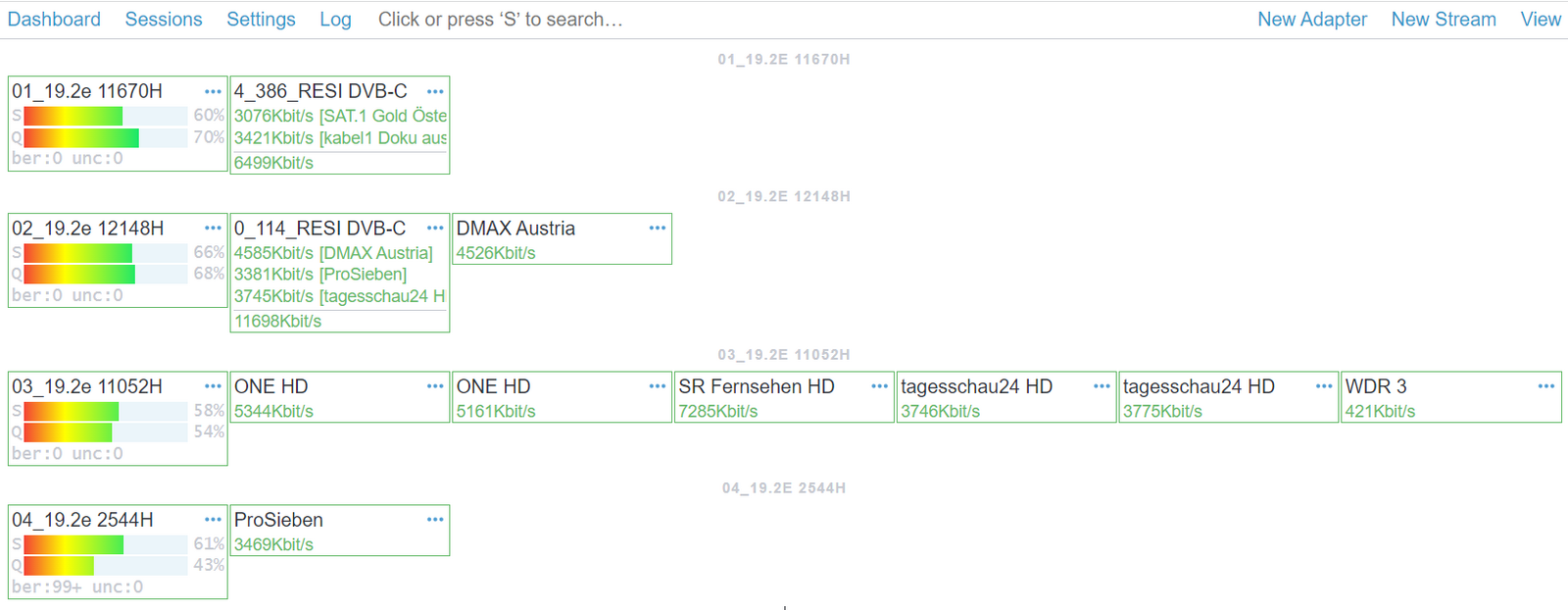
Also at any time you may open Astra Web Interface to simply check out the Dashboard. Here you will see already configured Adapters, created Streams, and some useful options like signal strength/quality, bitrate at channels, and so on.
Checking the output DVB-C signal
Section titled “Checking the output DVB-C signal”With these simple steps, we have set up our Stream. Now we have the channels converted and modulated with the RESI DVB-C FSM modulator.
The best way to check the output signal is to use an analyzer. There are many different models from many manufacturers. For example, Telestar:
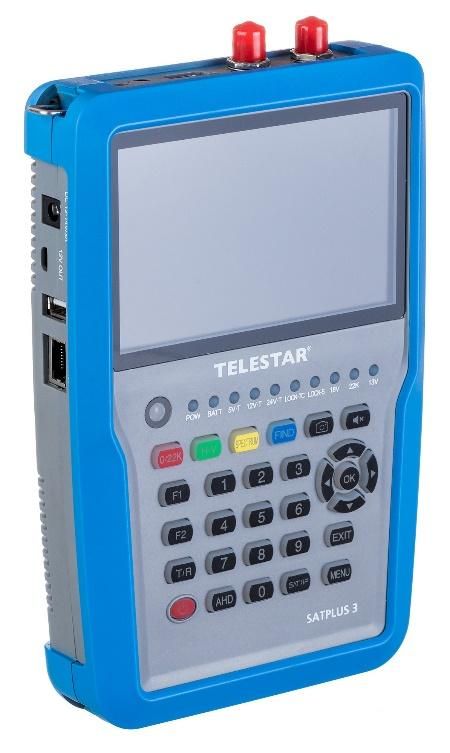
Also, we can connect the coaxial cable from RESI to the TV set, and in the TV settings make a new DVB-C channel scan, either Full Scan or Network Scan (or specify the scan parameters manually). Channels search settings fully depend on the TV manufacturer, but in general, they are very similar.
Troubleshooting DVB receiving
Section titled “Troubleshooting DVB receiving”In case you get any issues during configuration, we provide a list of articles on how to identify issues and eliminate the potential cause of the problem: Troubleshooting DVB receiving
We take care of each of our customers and your best experience of working with Cesbo Astra, which is why we offer more support channels such as Online help and support via E-mail.