
General Settings
MPTS (Multi Program Transport Stream) lets you bundle multiple TV channels into a single stream. This is useful when you need to send several channels together to broadcasting equipment or cable networks.
For example, instead of sending Channel 1, Channel 2, and Channel 3 as separate streams, MPTS combines them into one stream that carries all three channels.
Creating an MPTS Stream
Section titled “Creating an MPTS Stream”To create an MPTS stream:
- Go to the main Dashboard
- Click New Stream in the upper right corner
- Check the Multi Program Stream checkbox
- Configure the settings below
General
Section titled “General”The General tab contains the basic settings for your MPTS stream.
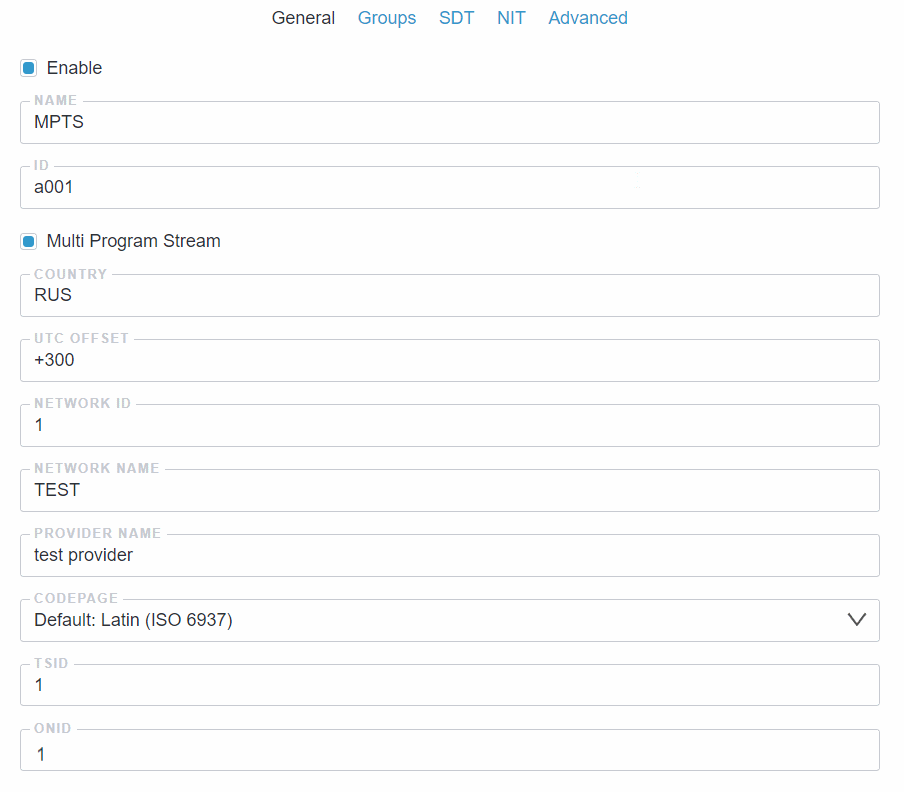
Basic Settings
Section titled “Basic Settings”- Enable: Turn the MPTS stream on or off
- Name: Give your MPTS stream a name to identify it in the interface
- ID: Auto-generated when you save (optional field)
Location Settings
Section titled “Location Settings”Astra uses these values to generate the TOT (Time Offset Table). TVs and set-top boxes read it to set the local time automatically and to show EPG events at the correct local time.
- Country: Country code in ISO 3166-1 alpha-3 format. For example,
CHEfor Switzerland - UTC Offset: Local time offset from UTC in minutes, from -720 to +780. For example,
+60for Switzerland (UTC+1)
Network Settings
Section titled “Network Settings”- Network ID: Unique number for your DVB network (default: 1)
- Network Name: Name for your DVB network
- Provider Name: Your company or organization name (shows when users scan channels)
- Codepage: Character encoding for text. Use Latin (ISO 6937) for English
Stream Identifiers
Section titled “Stream Identifiers”- TSID: Transport Stream ID - unique number for this stream (default: 1)
- ONID: Original Network ID - identifies the original network. Must be the same for all streams in your network (default: 1)
Input List
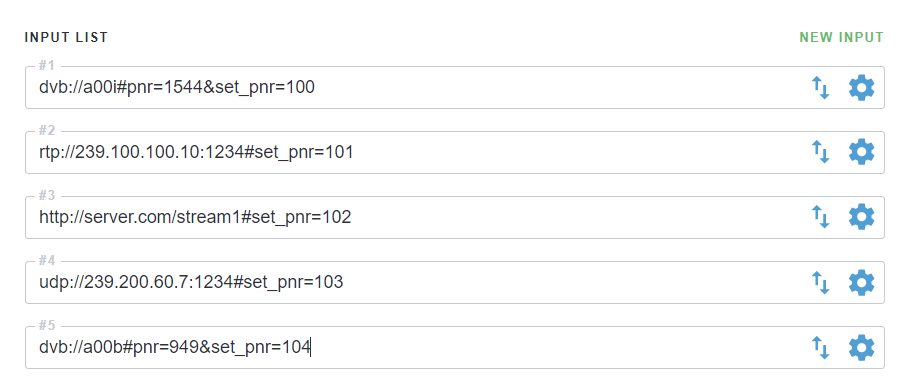
Section titled “Input List”The Input List defines which streams (TV Channels) will be combined into your MPTS output. Each input represents a single channel that you want to include in the final multi-channel stream.
Managing Inputs
Section titled “Managing Inputs”- New Input: Add a new stream to your MPTS stream
- Reorder (↑↓): Change the order of channels in the list
- Settings (⚙): Configure individual channel settings like source URL and program number
Important Settings
Section titled “Important Settings”Each input stream needs unique identifiers to avoid conflicts:
- Unique PIDs: Each channel must have different packet identifiers. By default, Astra assigns unique PIDs automatically
- Program Numbers: Each channel must have a unique program number (PNR). Use
set_pnr=to assign it. If the source is an MPTS stream, usepnr=to select the channel first, thenset_pnr=to assign a new number. The SDT tab uses this PNR to link channel names to inputs
Example input URLs:
udp://225.1.1.27:1234#set_pnr=11udp://225.1.1.28:1234#set_pnr=12udp://225.1.1.29:1234#set_pnr=13This creates three channels with program numbers 11, 12, and 13 respectively.
Use Streams from Astra
Section titled “Use Streams from Astra”You can also use existing streams from the Astra as inputs for your MPTS stream. This allows you to use channels that are already configured and prepared for MPTS.
Use the stream:// URL format and specify the stream ID you want to include.
Example input URL:
stream://a123So example flow will look like this:
- SPTS streams used to receive channels from external sources (like UDP or DVB), prepare them for broadcasting (e.g., set program numbers, PIDs, filters, etc.)
- MPTS stream combines these SPTS streams into a single multi-channel output
Output List
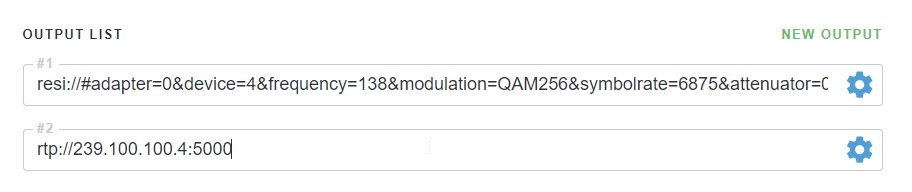
Section titled “Output List”The Output List defines where your MPTS stream will be sent. After combining multiple channels into a single MPTS stream, you need to specify the destination(s) where this combined stream should be delivered.
Managing Outputs
Section titled “Managing Outputs”- New Output: Add a new destination for your MPTS stream
- Settings (⚙): Configure output settings like destination URL, constant bitrate, and other parameters
Common Output Types
Section titled “Common Output Types”Your MPTS stream can be sent to various destinations:
- UDP Multicast: Send to network devices or other streaming servers
- Hardware: Send to broadcasting equipment
Read more about DVB modulator configurations:
Next Steps
Section titled “Next Steps”Inputs and outputs are not enough for a working MPTS. TVs also need service tables to show channels correctly. Configure them in the next tabs:
- SDT Settings: channel names, service types and channel numbers (LCN) that viewers see on their TVs. Without SDT, TVs show channels with technical names or in random order
- NIT Settings: network parameters - frequency, symbol rate, modulation. Modulators take their settings from here, and TVs use them for quick channel search