
SDT Settings
The SDT (Service Description Table) tab lets you configure information for each channel that viewers see on their devices.
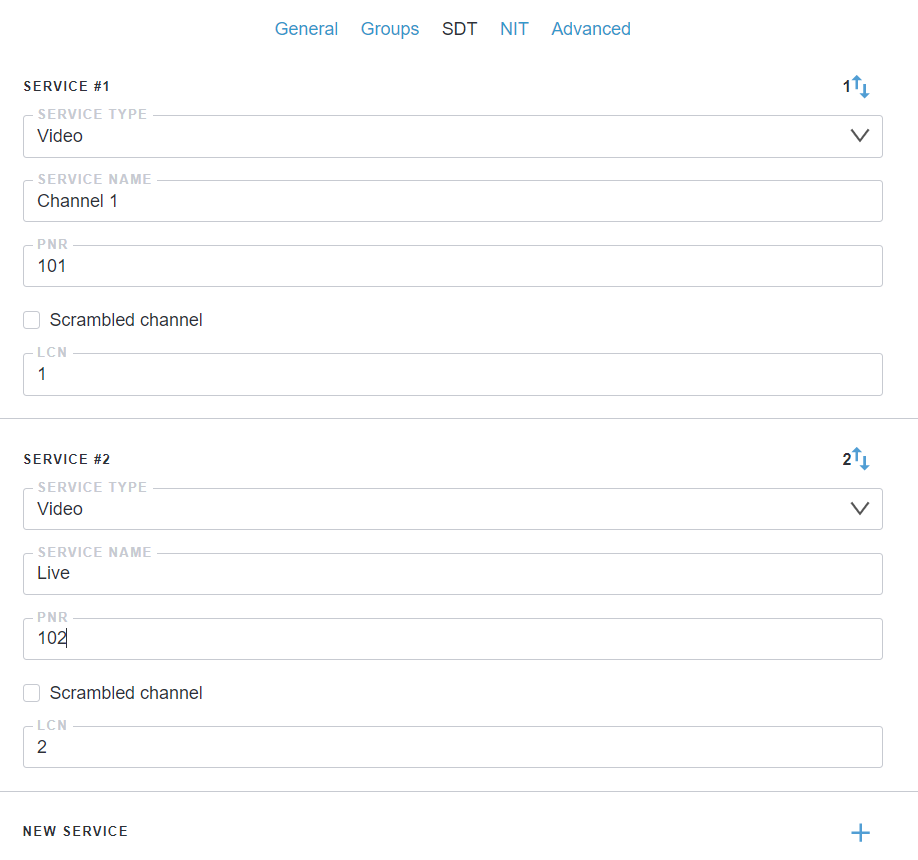
- Service type: Type of service - digital television, digital radio, or data services
- Service name: Channel name displayed on set-top boxes and TVs
- PNR: Program Number of the channel in the Input List. It must match the PNR of the input stream, set with the
set_pnr=option. If it does not match, the service name is not applied - Scrambled channel: Check this box if the channel is encrypted.
- LCN: Logical Channel Number - controls the channel position in the list on set-top boxes and TVs
Click the + button to add a new channel into SDT.