
Mosaic: Channel Screenshots on Dashboard
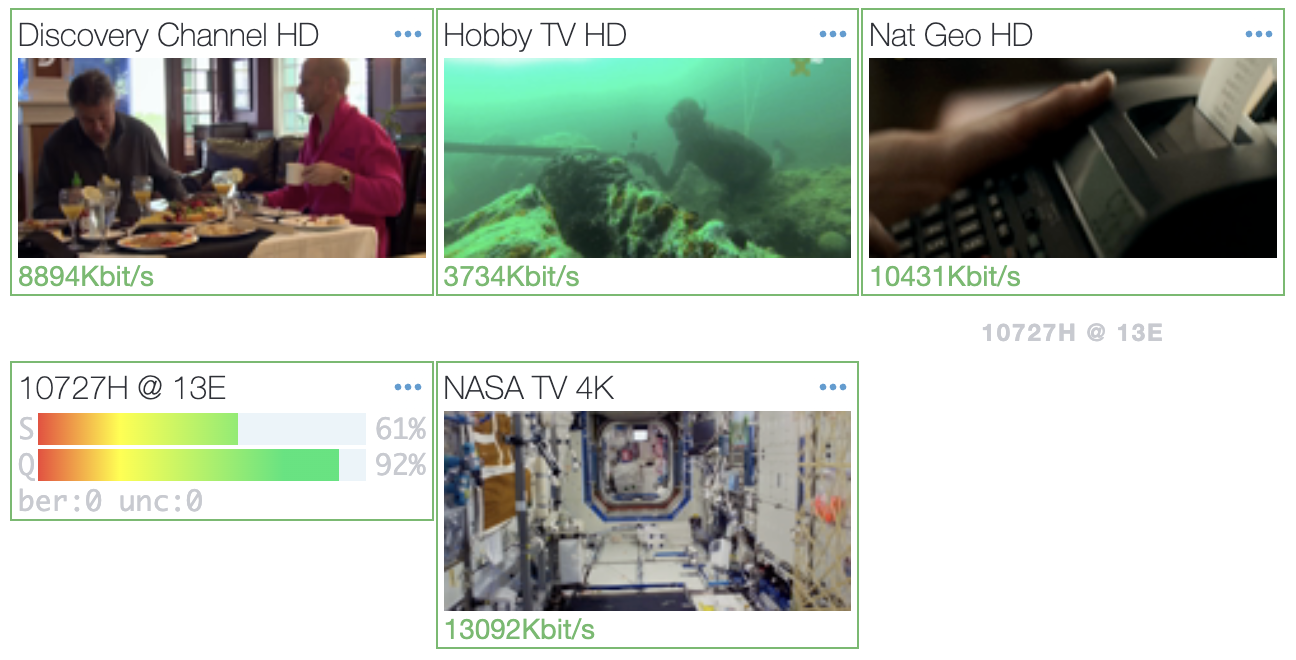
Mosaic is a simple script to create channel screenshots with ffmpeg and set them on Astra Dashboard using Astra API.
Channel Screenshots helps to visually evaluate quality of the channels.
Requirements
Section titled “Requirements”- Astra with enabled HTTP Play
- FFmpeg
Install FFmpeg
Section titled “Install FFmpeg”Install FFmpeg with system packet manager:
apt install ffmpegConfigure HTTP Play
Section titled “Configure HTTP Play”On you server create new directory to store screenshot images:
mkdir -p /var/lib/astra/mosaicThen open Astra Web interface -> Settings -> HTTP Play:
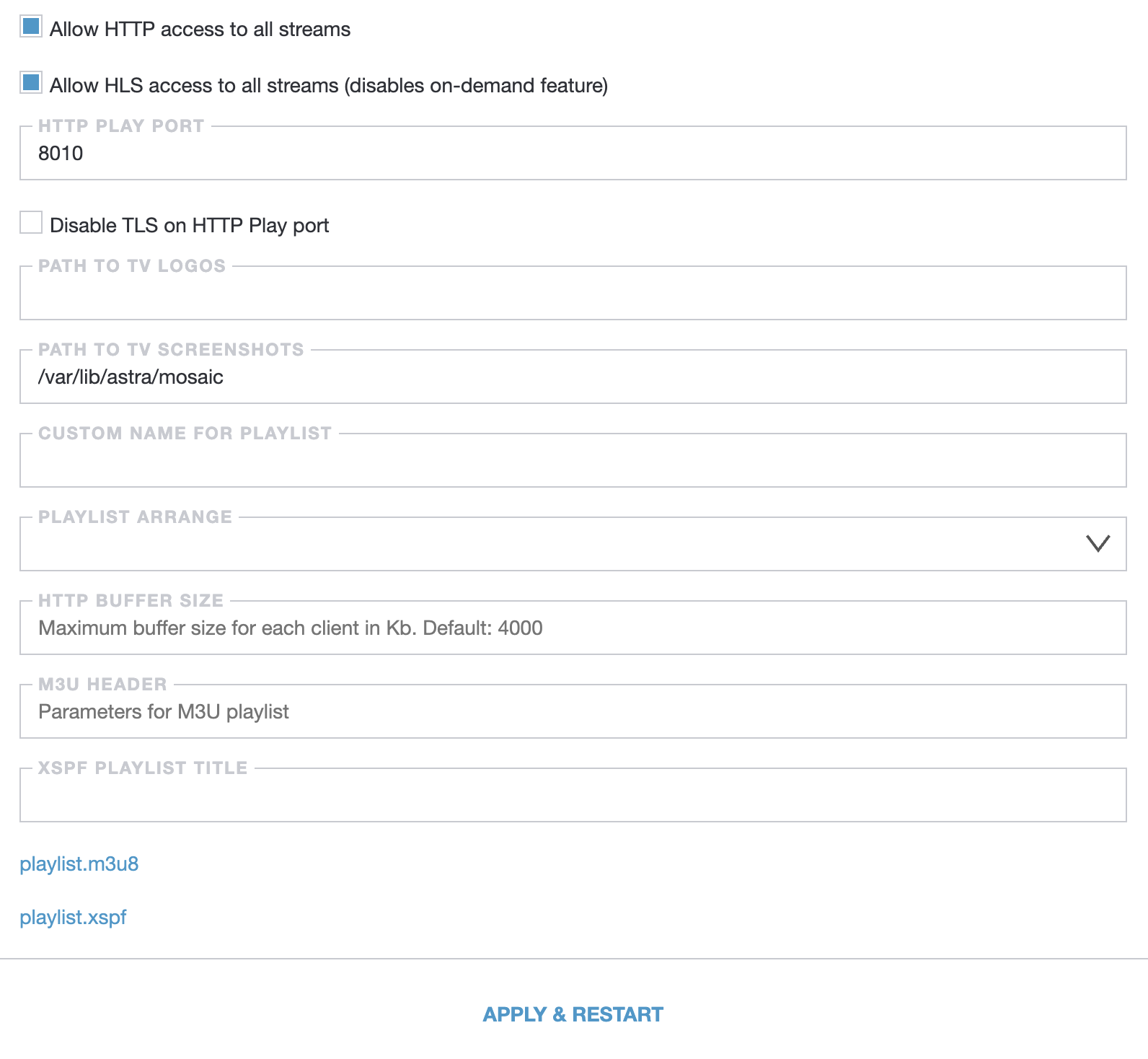
Turn on HTTP Play if disabled and set path to the screenshots directory. Done, HTTP Play now configured and you may save changes.
Also in the HTTP Play settings you may copy link to the playlist.m3u8, this file contains links to all enabled channel. Link to playlist lookls like: https://example.com:8000/playlist.m3u8
If you use HTTP Authorization, set Token for administrator. Open Astra Web Interface -> Settings -> Users -> select administrator, and set any Token, for example: c6017ac9. Append this token to the playlist URL: https://example.com:8000/playlist.m3u8?token=c6017ac9
Download and Configure Script
Section titled “Download and Configure Script”Download script and save it on your server:
curl -Lo /usr/local/bin/mosaic.sh https://cdn.cesbo.com/astra/scripts/mosaic/mosaic.shchmod +x /usr/local/bin/mosaic.shOpen script with any text editor and modify following variables:
THREADS- number of threads to concurrently capture multiple screenshots. Fewer threads will take more time to update all images, while more threads will increase CPU usage. You may set as many threads as you have CPU coresPLAYLIST_URL- URL toplaylist.m3u8file from previous stepSCREENSHOT_PATH- path to store screenshots on your server:/var/lib/astra/mosaic/API_PORT- port to Astra APIAPI_AUTH- admin login and password to access Astra API
Start script with Systemd
Section titled “Start script with Systemd”To start script automatically you may append it to the systemd. Download configuration file for systemd and save it on your server:
curl -Lo /etc/systemd/system/mosaic.service https://cdn.cesbo.com/astra/scripts/mosaic/mosaic.serviceNext commands could be used to manage script:
- Start script:
systemctl start mosaic - Stop script:
systemctl stop mosaic - Enable autorun:
systemctl enable mosaic - Disable autorun:
systemctl disable mosaic
After the start check that new png files are creating in the screenshots directory:
ls /var/lib/astra/mosaicUninstall
Section titled “Uninstall”To uninstall Mosaic script, stop the service and remove the script and service file:
systemctl stop mosaicsystemctl disable mosaicrm /usr/local/bin/mosaic.shrm /etc/systemd/system/mosaic.serviceRemove screenshots directory:
rm -r /var/lib/astra/mosaic