
EPG Export Settings
Configure the EPG Export to extract Electronic Programme Guide from stream
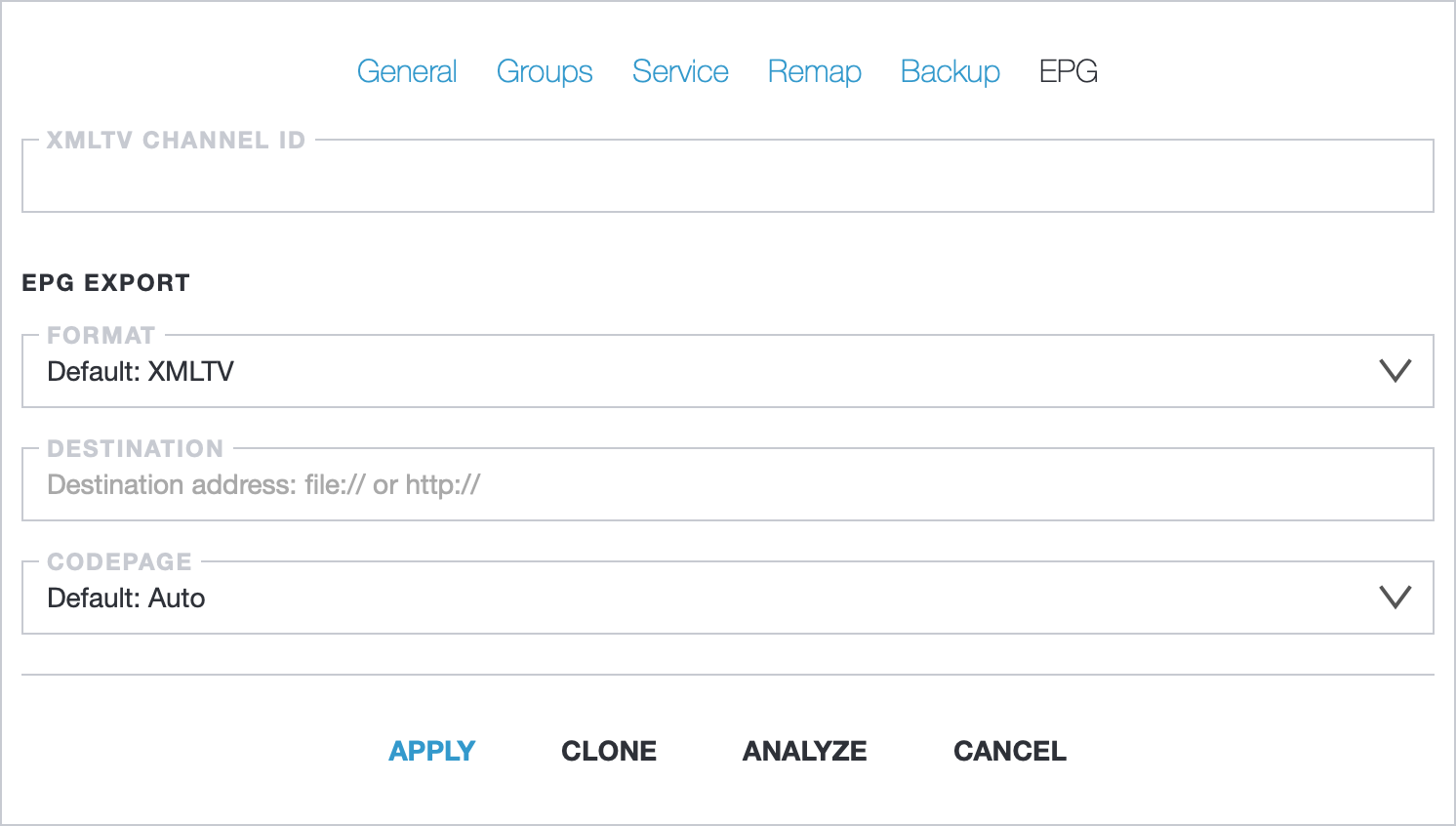
- XMLTV Channel ID: use a custom channel ID instead of primary ID
- Format: EPG Export format:
- XMLTV: this is popular format is used for storing and distributing EPG. XMLTV is compatible with various middleware and IPTV players
- JSON: useful for sending EPG to external servers or for direct use in a web application. For instance, it can be embedded on a website
- Destination: destination for EPG Export:
- file: save the EPG to a local file. For example, using
file:///tmp/test_channel.xmlwill store the EPG in the/tmpdirectory with the filenametest_channel.xml - http: sending EPG using an HTTP POST request. On the server side, an application is required to handle the received request, such as EPG Aggregator
- file: save the EPG to a local file. For example, using
- Codepage: decode text from received EIT packets using defined codepage. Stored text is always encoded with UTF-8
EPG Aggregator
Section titled “EPG Aggregator”EPG Aggregator is a script for Astra to receive EPG from many servers and save it into the single XMLTV file.
Install
Section titled “Install”To install script, download it and save on the server. You may do that with curl command on the server:
curl -Lo /etc/astra/epg-aggregator.lua https://cdn.cesbo.com/astra/scripts/epg-aggregator/epg-aggregator.luaStart script with Systemd
Section titled “Start script with Systemd”To start script automatically you may append it to the systemd.
- Download configuration file: https://cdn.cesbo.com/astra/scripts/epg-aggregator/astra-epg.service
- In this file you may configure command line arguments
- Save file on your server to
/etc/systemd/system/astra-epg.service - Start script:
systemctl start astra-epg - Enable autorun:
systemctl enable astra-epg
Command line arguments:
-o /tmp/epg.xml: full path to store generated XMLTV file-p 5000:port for receiving requests from Astra–daemon: run as daemon–interval SEC: interval of saving EPG to file. default: 60 seconds–stalker: replace tag<sub-title>to<desc>for middleware Stalker/Ministra
Script is ready to receive requests from Astra
Configure Astra for EPG Aggregator
Section titled “Configure Astra for EPG Aggregator”In stream settings, on the “EPG” tab, configure the EPG Export:
Format: setJSONDestination: sethttp://EPG_aggregator_IP:5000
XMLTV file with the collected data will be located on the path: /tmp/epg.xml.
Also you may download XMLTV from http://EPG_aggregator_IP:5000/epg.xml or you may append this URL to the client application.
Restart EPG Aggregator nightly
Section titled “Restart EPG Aggregator nightly”In some cases you may need to restart EPG Aggregator, better to do that nightly. You may do that with a system scheduler - cron. Open cron configuration:
sudo crontab -eand append line to the file:
0 4 * * * systemctl restart astra-epgSave changes in cron. Collector will restart each night at 4:00