
Backup Settings
Configure the redundancy behaviour to automatically switch stream inputs in case of a failure.
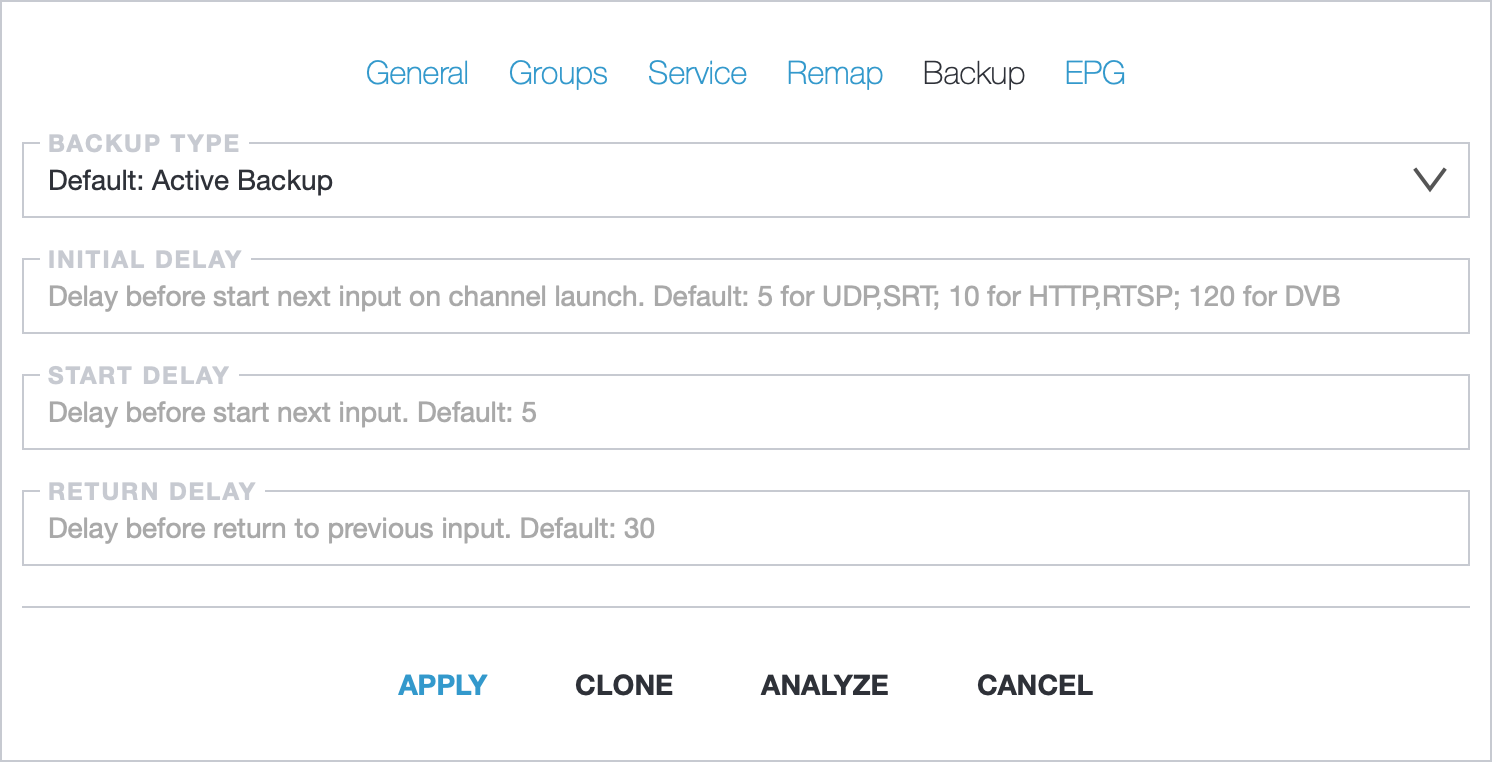
- Backup Type: redundancy behaviour type. Default: Active Backup
- Initial Delay: delay in seconds before starting the next input after the stream has been initiated. Default: 5 for UDP or SRT; 10 for HLS, HTTP MPEG-TS, or RTSP; 120 for DVB
- Start Delay: delay in seconds before starting the next input. Default: 5
- Return Delay: delay for Active Backup in seconds for returning to the previous input
The built-in analyzer continuously monitors the active input, and if a fault is detected, it immediately switches to an alternate input.
Active Backup
Section titled “Active Backup”The default behavior is Active Backup. In the event of a failure, Astra switches to the next input while continuing to analyze the previous inputs for a potential switch back.
If all inputs fail, Astra will continue to stream latest avilable input. To halt streaming, an additional option is available for the Backup Type: “Active Backup and Stop streaming if all inputs are inactive”
Passive Backup
Section titled “Passive Backup”In the event of a failure, Astra switches to the next input and stops the previous input. If the last input fails, Astra will automatically switch back to the first input
Disabled Backup
Section titled “Disabled Backup”In the event of a failure, Astra does nothing. This method is suitable for manually switching inputs using the Web Interface or API methods.
Read more in Stream API → Switch active input