
Remap PIDs
Remapping Stream PIDs is beneficial in various scenarios:
- Smooth Input Redundancy: If primary and backup inputs have differing PIDs for video and audio elementary streams, switching to the backup input may lead to a temporary interruption in playback. By remapping PIDs to ensure uniformity across primary and backup inputs, the transition can be made seamless.
- Multi Program Stream (MPTS) Preparation: When preparing a channel for inclusion in an MPTS broadcast, each elementary stream within the channel must possess a unique PID. Remapping ensures this PIDs uniqueness, enabling smooth addition of the channel to the MPTS
Analyze Channel
Section titled “Analyze Channel”To identify available elementary streams and their PIDs, it’s necessary to analyze the channel. This can be achieved by launching the built-in MPEG-TS analyzer either from the channel menu or directly from the channel settings.
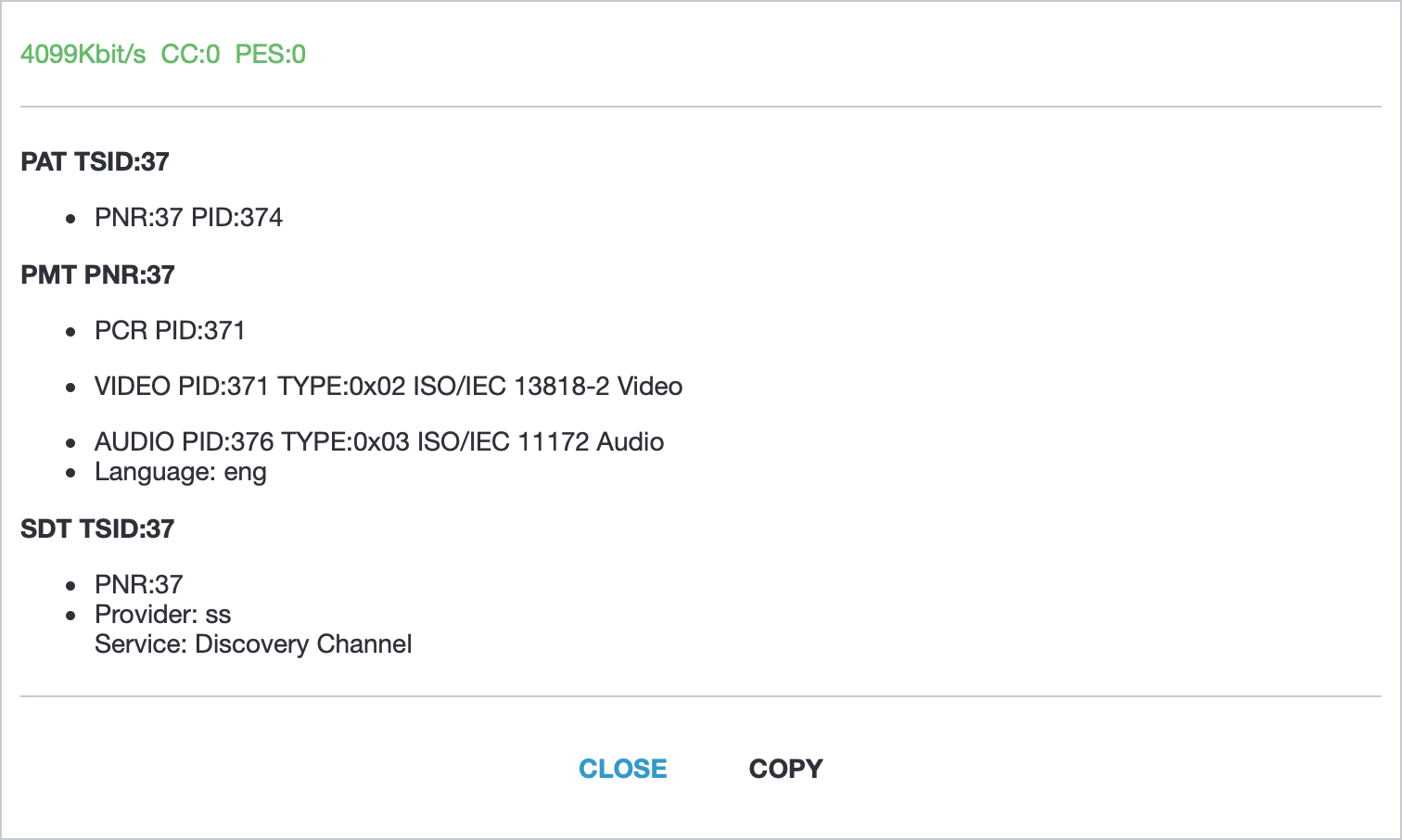
On the provided screenshot, we can see the following elementary streams:
- Program Map Table (PMT) - PID:
374 - Video - PID:
371 - Audio - PID:
376, Language:eng(English)
Each elementary stream is represented by a unique Packet Identifier (PID), which can be used for Stream Remapping in Astra.
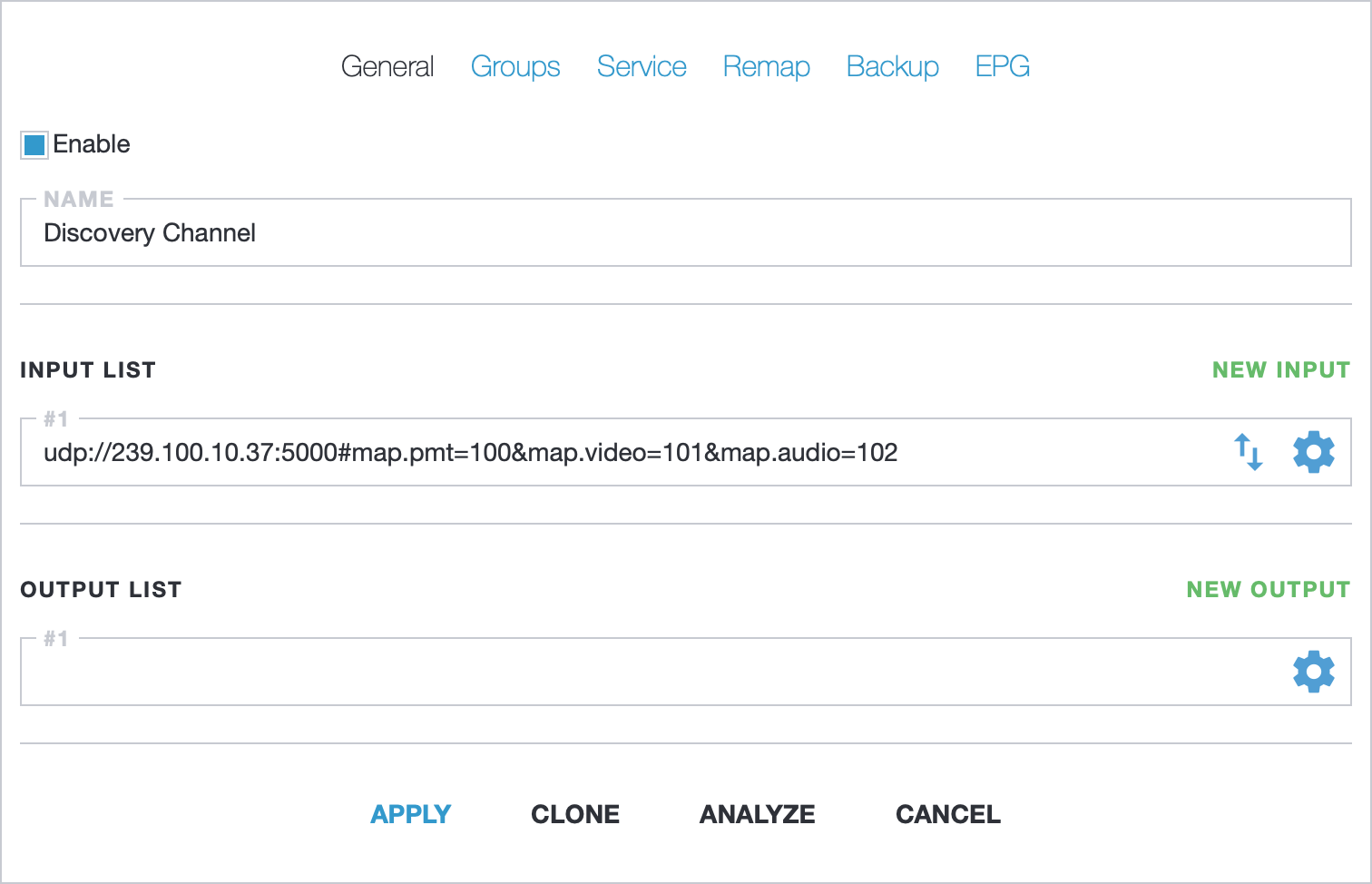
Input remapping
Section titled “Input remapping”In order to perform the stream remapping, we will change the PMT PID to 100, the video stream PID to 101, and audio stream PID to 102. This operation can be conducted by appending the map.pmt=100&map.video=101&map.audio.eng=102 option to the input address
Remapping for all inputs
Section titled “Remapping for all inputs”For stream remapping across all inputs, the Remap tab in the channel settings can be used.
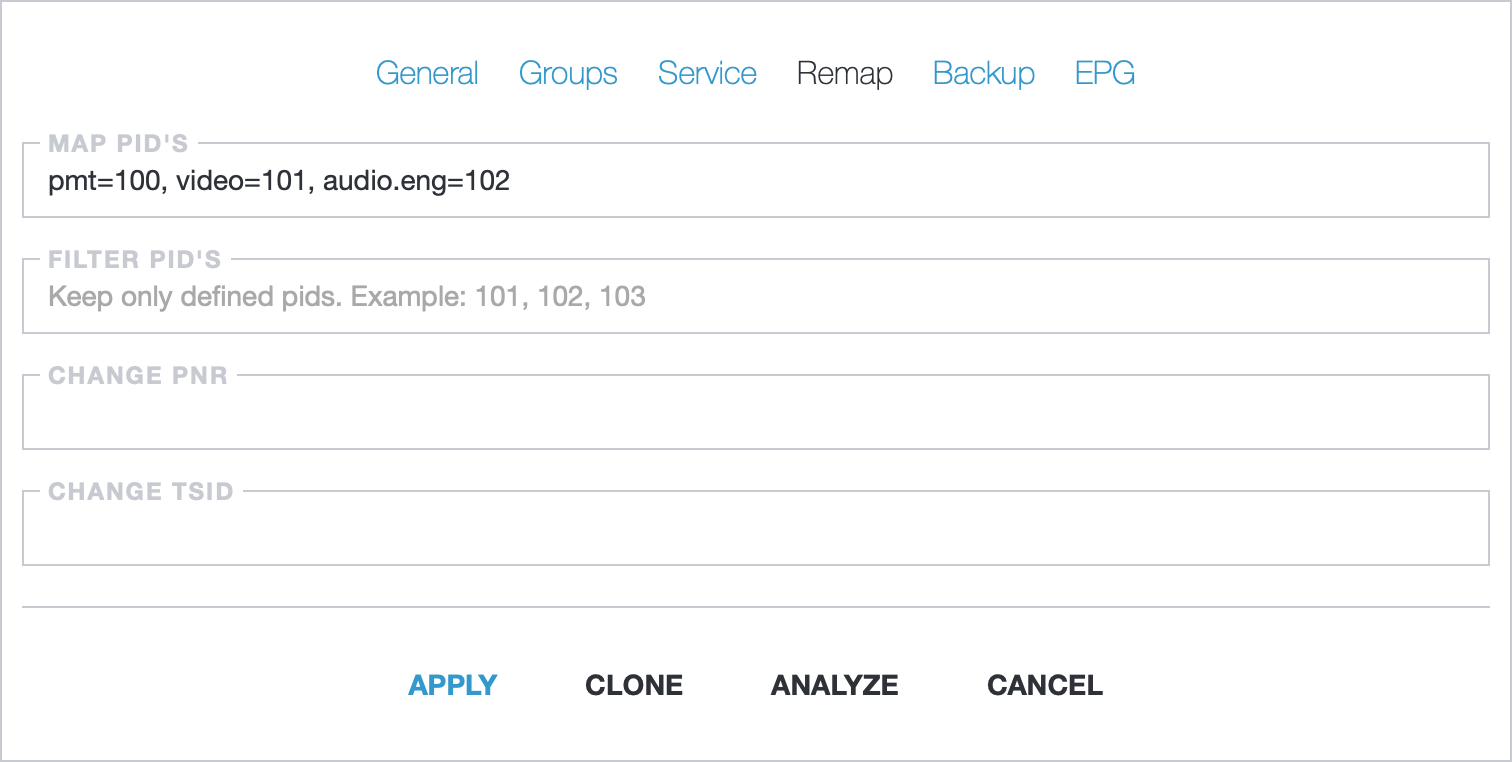
In the “Map PIDs” field, pmt=100, video=101, audio.eng=102 has been set. This alters the PIDs of the video and English audio streams to 101 and 102, respectively, across all inputs.
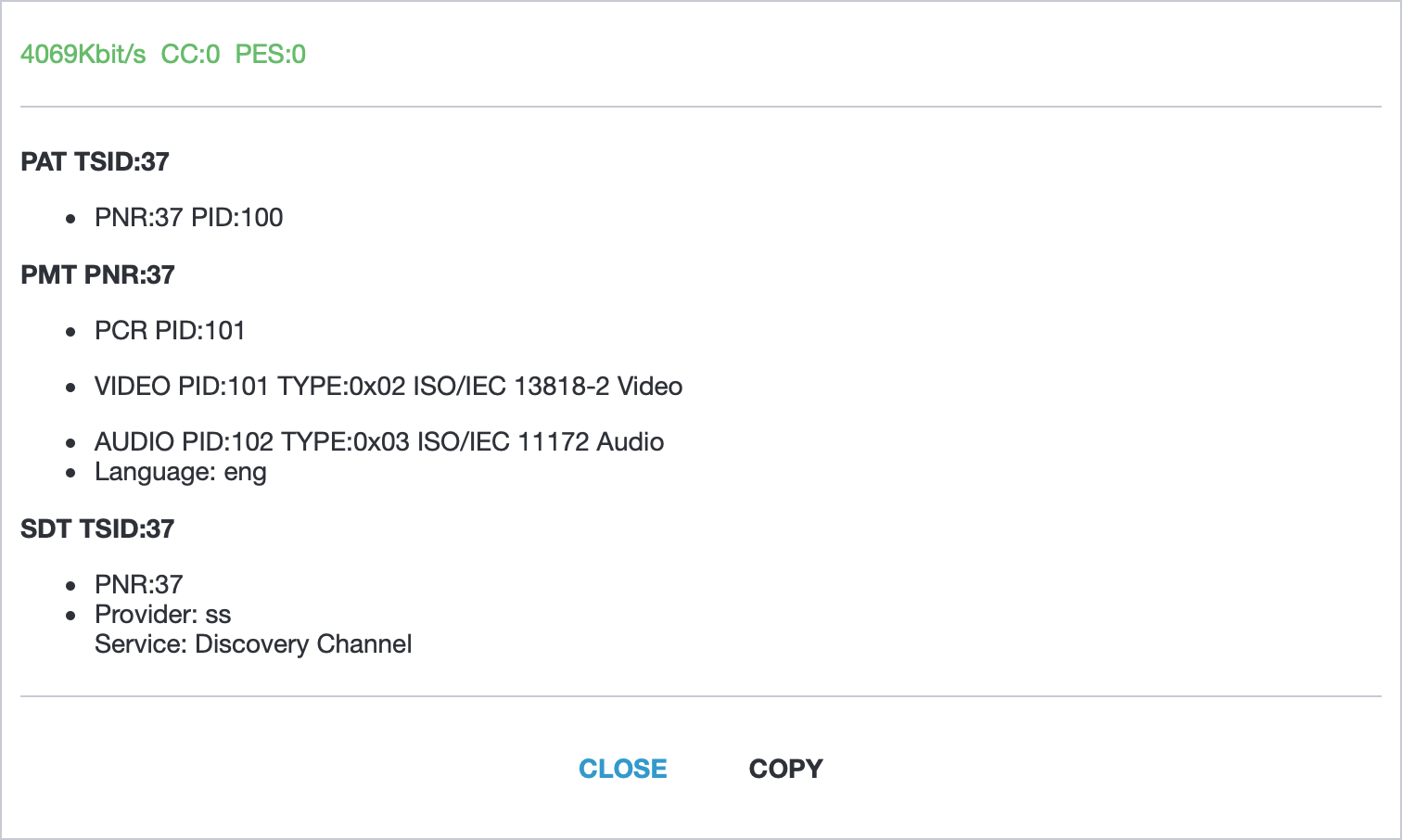
To verify the results of the applied stream filter, click “Apply” to save the changes. Next, launch the built-in MPEG-TS analyzer again. This will allow you to check if the unnecessary streams have been successfully filtered out.
Selectors
Section titled “Selectors”Selector determinates what PID should be changed to the new value
371: any number as an original PIDpmt: PID for Program Map Table (PMT)video: video streamaudio: any audio stream. You may define this option twice if you have several audio streams, for example:video=101, audio=102, audio=103audio.eng: audio stream with defined language codeac3: AC3 audio stream. Theaudioselector could be used for AC3 streams as wellaac: AAC audio stream. Theaudioselector could be used for ACC streams as wellpcr: PID for packets with PCR. Usually the PCR timestamp delivered with video stream packetssub: subtitle streamttx: teletext streamait: PID for Application Information Table (AIT)