
NIT Settings
The NIT (Network Information Table) tab lets you configure network information for your MPTS stream. It provides information for viewers’ devices about available networks, including network ID, name, and frequency.
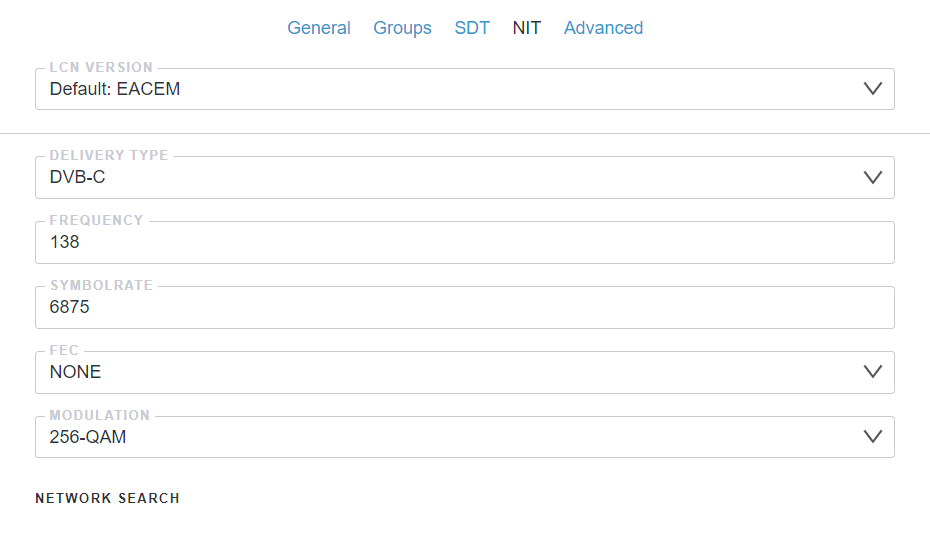
- LCN Version: The Logical Channel Number controls how channels are ordered on viewers devices in your region
- Delivery Type: Method used to deliver the signal (cable, terrestrial, satellite)
- Frequency: Output signal frequency in MHz. Range: 45-1002 MHz depending on delivery type
- Symbolrate: Symbol rate in KBaud (kilobaud - thousands of symbols per second)
- FEC: Forward Error Correction setting. Use default unless your streams require specific FEC
- Modulation: Signal modulation type for the service
Network Search
Section titled “Network Search”With network search configured, set-top boxes and TVs can use Quick Search instead of a full channel scan. This saves viewers time by avoiding lengthy channel searches.
To set up Network Search:
- Create all necessary MPTS streams and configure their Delivery Type parameters. For example:
- mpts_1 with frequency 378 MHz
- mpts_2 with frequency 386 MHz
- mpts_3 with frequency 394 MHz
- Open settings for mpts_1 and go to the NIT tab
- Check all related multiplexes to include them in the network information
- Save your settings
How it works
Section titled “How it works”When a TV or set-top box finds frequency 378 MHz with mpts_1, it gets the NIT tables for all linked multiplexes and scans them quickly instead of searching every possible frequency.
Modulators
Section titled “Modulators”Astra uses NIT settings to automatically configure DigitalDevices and TBS modulators defined in the MPTS Output List. When you set up NIT parameters in your MPTS stream, Astra applies these settings directly to the modulator hardware:
- Frequency: Configures the RF output frequency on the modulator
- Symbolrate: Sets the symbol rate for the modulated signal
- Modulation: Applies the modulation scheme (QPSK, QAM16, QAM64, etc.)
- FEC: Configures Forward Error Correction on the hardware
This integration eliminates the need for separate modulator configuration, as Astra synchronizes your stream settings with the hardware automatically.