
Streams Configuration Overview
Streams in Astra represents an individual channel or media flow that receives content from various sources, processes it, and delivers it to clients.
Create New Stream
Section titled “Create New Stream”To create a new stream:
- Go to the main Dashboard
- Click “New Stream” in the upper right corner
General Options
Section titled “General Options”Configure basic stream settings that control how your stream behaves and appears in the system.
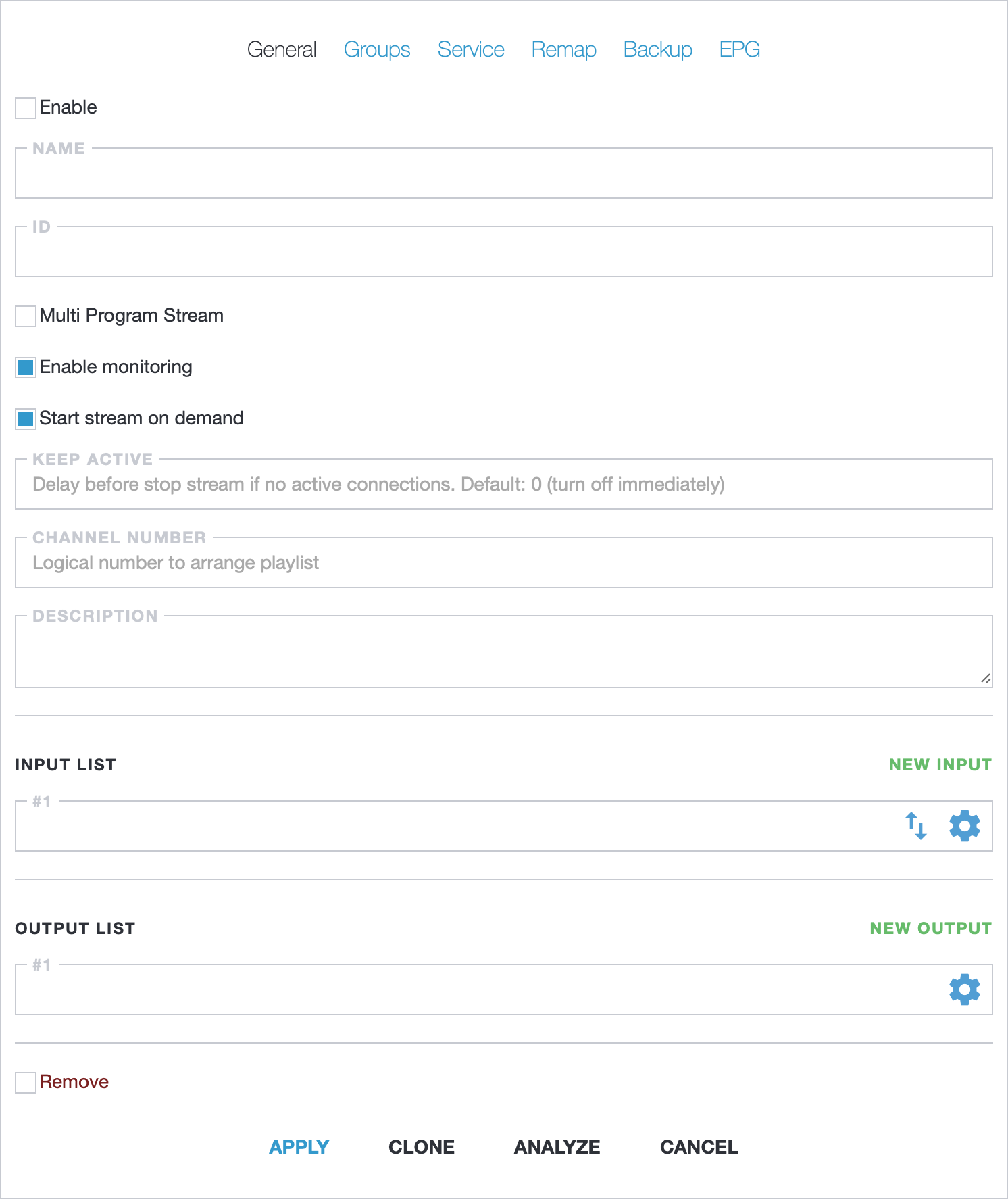
Enable: new stream is enabled by default, but can be turned off if neededName: friendly channel name used in dashboards and logsID: unique stream identifier. Keep it empty to assign a sequential number to new channels or you may define your ownCreate Multi Program Stream: switch to MPTS configurationDescription: arbitrary channel description
Input List
Section titled “Input List”Configure one or more inputs to receive stream content. To set up inputs, you can use the Media Address Format or the configuration dialog.
Read more information in our guides for protocol specific configuration:
- HLS
- HTTP MPEG-TS
- UDP/RTP
- SRT
- RTSP
- How to receive MPTS via UDP
- How to configure DVB, ATSC, ISDB-T, SAT>IP
Output List
Section titled “Output List”Configure one or more outputs to provide content to clients. Outputs are optional. You can use the HTTP Play feature to provide access to channels with HLS or HTTP MPEG-TS.
Read more information in our guides for protocol specific configuration:
- UDP
- DVB with Broadcasting hardware, such as: HiDes DVB-T, RESI DVB-C, TBS DVB-C
Single Program Stream
Section titled “Single Program Stream”SPTS (Single Program Stream) is the default stream type for creating individual TV channels. Think of it as one channel carrying one program - like CNN or ESPN.
SPTS automatically switches between multiple inputs if one fails. For example, if you have two satellite feeds for the same channel, SPTS monitors both and switches to the backup feed when problems occur.
You can also process the stream by:
- Filtering unwanted content (like subtitles you don’t need)
- Changing stream details (channel name, language info)
- Removing encryption from protected streams
- Adding encryption to secure your broadcasts
Multi Program Stream
Section titled “Multi Program Stream”MPTS (Multi Program Stream) combines multiple channels into one broadcast stream. Think of it like a cable TV package - instead of sending channels separately, you bundle them together for broadcasting.
For example, if you have 10 different TV channels, MPTS packages them all into one stream that cable or satellite providers can broadcast to viewers.
MPTS includes broadcasting features like:
- Channel descriptions and network information
- Channel numbering (so viewers see “Channel 5” instead of technical IDs)
- Network search capabilities for receivers to find channels easily
- EPG (Electronic Program Guide) data embedding for showing TV schedules to viewers
Read more about MPTS Settings