
MPTS via UDP
With Astra, you can receive MPTS (Multi Program Transport Stream) from different sources, including UDP. The received MPTS can be demultiplexed into several SPTS (Single Program Transport Stream) channels.
Virtual Adapter
Section titled “Virtual Adapter”For quick and simple configuration of MPTS reception, you may use the Virtual Adapter. Click on “New Adapter” in the main menu:
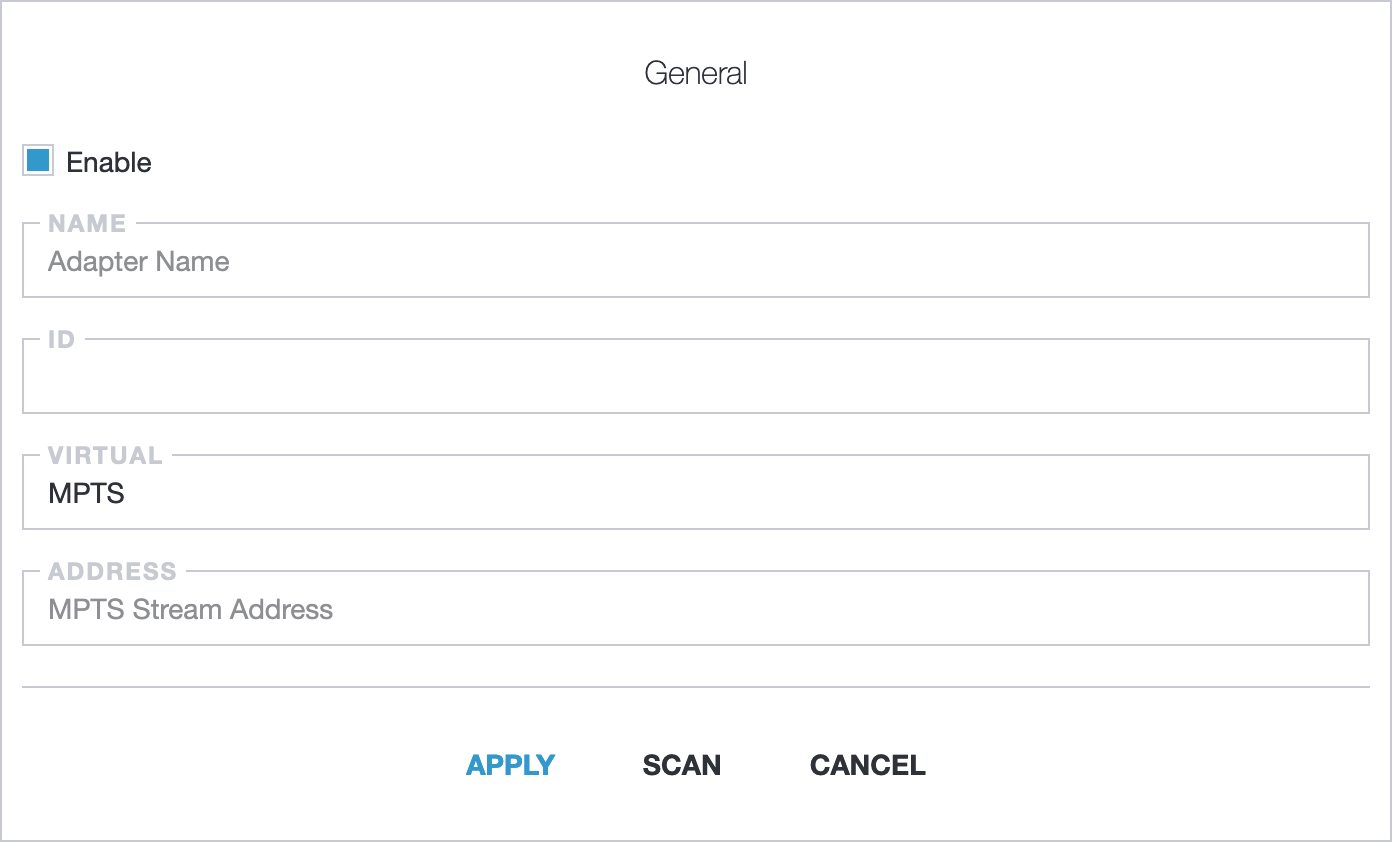
In the Address field set the source UDP, for example udp://239.255.1.1:1234. Read more about UDP address format in Receiving UDP/RTP.
Apply changes, and then you can scan the adapter to get a list of available channels. Select the channels you want to add and click apply.
Create channels manually
Section titled “Create channels manually”On any Astra version you may append channels from MPTS stream manually.
First of all analyze UDP MPTS with MPEG-TS Analyzer:
astra --analyze udp://239.255.1.1:1234Read more how to analyze streams: Astra MPEG-TS Analyzer. Analyzer shows information about available channels, for example:
INFO: PMT pnr:100 version:1INFO: PMT pnr:200 version:1Next you can create channel by clicking New Stream in the main menu. In the channel settings set name and input address with program number (PNR): udp://239.255.1.1:1234#pnr=100. And click Apply to save settings.