
Receiving via RTSP
RSTP is a popular protocol for streaming media over IP networks and is commonly used in IP cameras due to its low-latency and high-quality video streaming capabilities
Address format
Section titled “Address format”RSTP addresses are used to identify the location of the media stream that is being transmitted over the network
rtsp://addressrtsp://address:port/pathrtsp://login:password@address:port/path#optionslogin:password– login and password for RTSP authentication. Supports Basic and Digest authentication methodsaddress– IPv4 server address or domain nameport– port number. Default:554path– the path to the resource. Default:/
Options:
tcp– interleaved mode. receive stream over TCP instead UDPua=Name– custom User-Agent header
Web Interface
Section titled “Web Interface”To set up an RSTP input in Astra, you can either enter the source address directly into the Input address field in the Stream settings or use the Input configuration form accessed by clicking on the gear icon form:
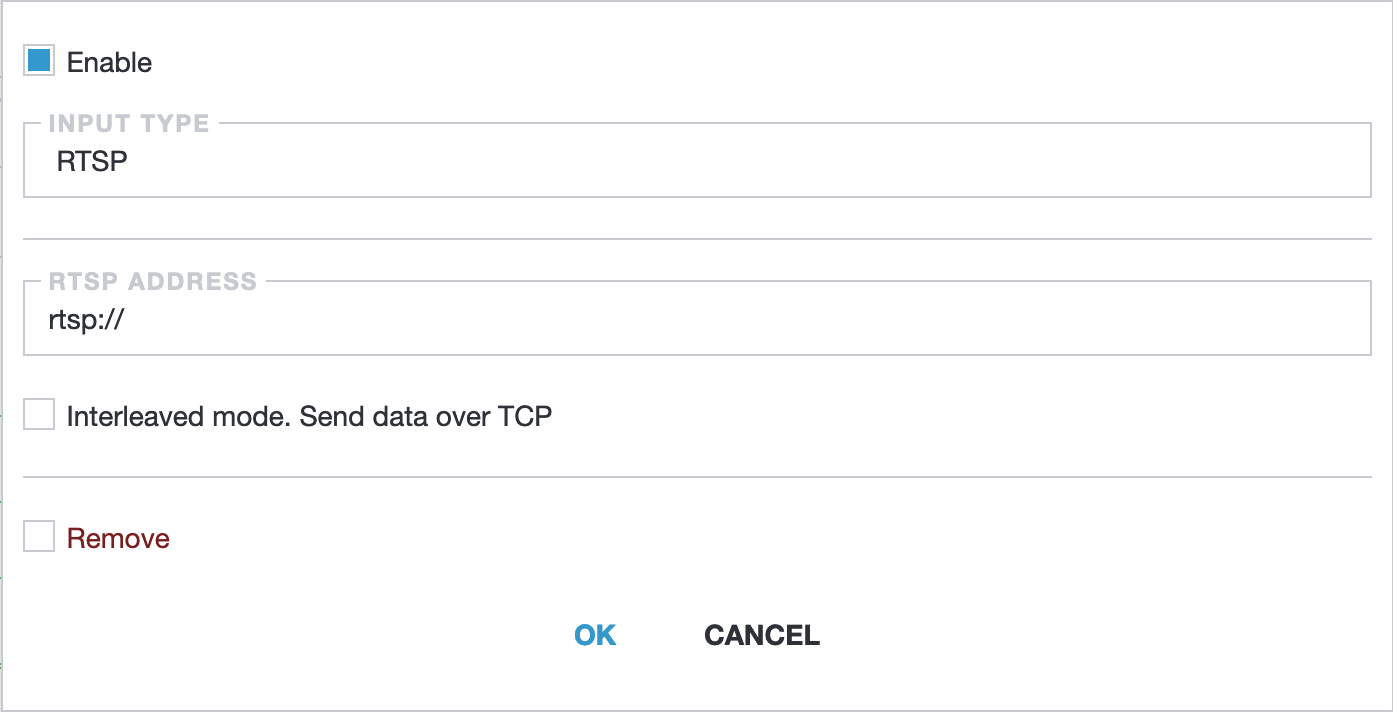
RSTP address- source address of the RSTP streamInterleaved mode- by the default Astra uses UDP to receive media data from camera, interleaved mode force camera to send data over TCP
Troubleshooting
Section titled “Troubleshooting”h.265 not working
Section titled “h.265 not working”The current version of Astra supports H.264 only
Timeout errors
Section titled “Timeout errors”The error messages may include Connection timeout or Response timeout, which suggest that the camera is not responding to requests from Astra. One possible cause of this issue is when the camera is stuck and cannot respond to requests
Authentication failed
Section titled “Authentication failed”Invalid login or password to the RTSP stream
Unknown encoding format
Section titled “Unknown encoding format”This may indicate that the data format of the stream is not recognized by Astra. This error can occur when the RSTP stream uses an unsupported data format or encoding method