
UDP / RTP for Digital TV delivery
UDP multicast delivers TV content to many receivers at once using a single stream. This saves bandwidth and works well for hotels, ISP networks, and sports venues. Read more about the UDP Protocol.

Media Address Format
Section titled “Media Address Format”Media Address configure the destination of the UDP stream. The format for this address is as follows:
udp://[interface@]address[:port][#options]In square bracket optional parameters.
interface- local interface name, such aseth0. If this field is not defined, the UDP stream will be delivered according to the system routesaddress- IPv4 address of the multicast group, localhost, or remote host for unicast deliveryport- network port for UDP delivery. If not specified, the default port1234is used
Additional options can be defined after the # symbol and are separated by the & symbol, similar to the parameters in a typical URL. Here are the available options:
socket_size=bytes- defines custom size of the system socket. If not specified, the default value is taken from the system configuration:sysctl net.core.wmem_defaultsync- enables the transmission of UDP in a separate thread with bitrate syncingno_sync- disable bitrate syncing if it has been enabled globallycbr=Kbps- enables bitrate syncing and constant bitrate. Read more on Constant Bitrate (CBR)ttl=n- controls the lifetime of the datagram to prevent it from looping indefinitely due to routing errors. The default value is32sap- turn on SAP. Read more on Session Announcement Protocol for Multicast
Here are some examples of how the media address format can be used in different scenarios with Astra:
- Multicast delivery on a specific interface: If you want to deliver a UDP stream to a multicast group at the address
239.255.0.1via a specific network interface likeeth0, the address would look like this:udp://eth0@239.255.0.1 - Multicast delivery on system-defined route: If you want to deliver a UDP stream to a multicast group at the address
239.255.0.2and you want the system to determine the route (interface), the address would be:udp://239.255.0.2 - Unicast delivery to a specific host: If you’re sending a unicast stream to a specific host at the IP address
192.168.1.100, the address would look like this:udp://192.168.1.100 - Delivery on a specific port: If you want to deliver a UDP stream to a multicast group at the address
239.255.0.3on a specific port, say5000, the address would be:udp://239.255.0.3:5000 - Turn on CBR to prepare stream for DVB modulation: If you want to deliver a UDP stream to the DVB modulator, you may needed constant bitrate, say
24000Kbit/s, the address would be:udp://239.255.0.4#cbr=24000 - Localhost Delivery with a Specific Port: If you need to deliver a UDP stream to a service on the same server, such as FFMpeg for transcoding, you would use the following address:
udp://127.0.0.1:11000
Web Interface
Section titled “Web Interface”To configure a new UDP output using the Web Interface, begin by selecting “New Stream” from the main menu. Then, in the Output List, click on the gear icon and set the “Output Type” to UDP. Alternatively, you can modify an existing stream by opening its settings, adding a New Output, and clicking on the corresponding gear icon.
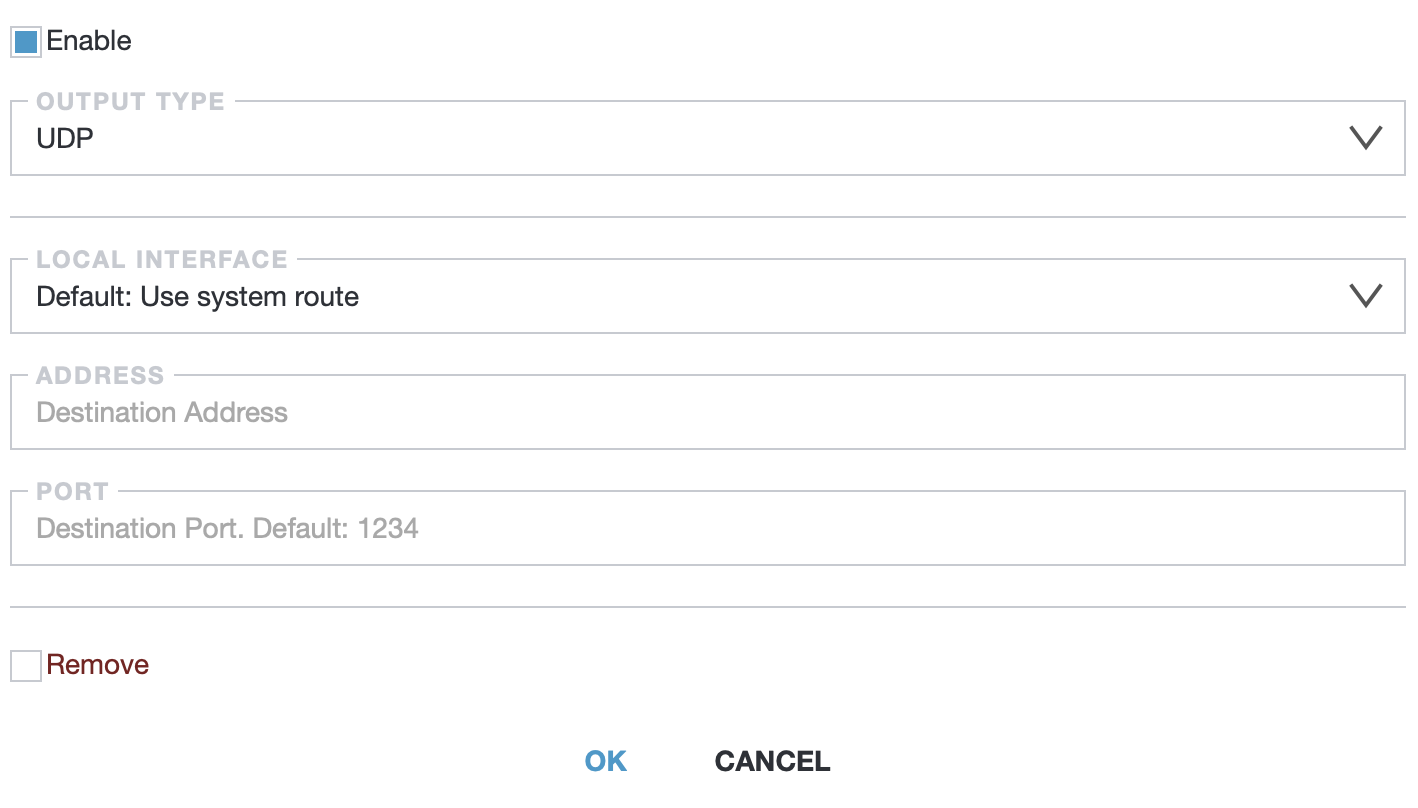
Most options presented in the web interface correspond directly to the components of the UDP address, as described in the “Media Address Format” section.