Playlist for HTTP Play
Astra generate simple playlist with links to all enabled channels. This playlist available only for HTTP Play feature.
Playlist format
Section titled “Playlist format”Astra provide access to playlist in next formats:
M3U8- is a most popular format supported by all media playersXSPF- is an XML-based playlist format, supported by some players
In this guide we will use M3U8 format.
Links to the playlist
Section titled “Links to the playlist”Default link to the M3U8 playlist is:
http://example.com:8000/playlist.m3u8Where:
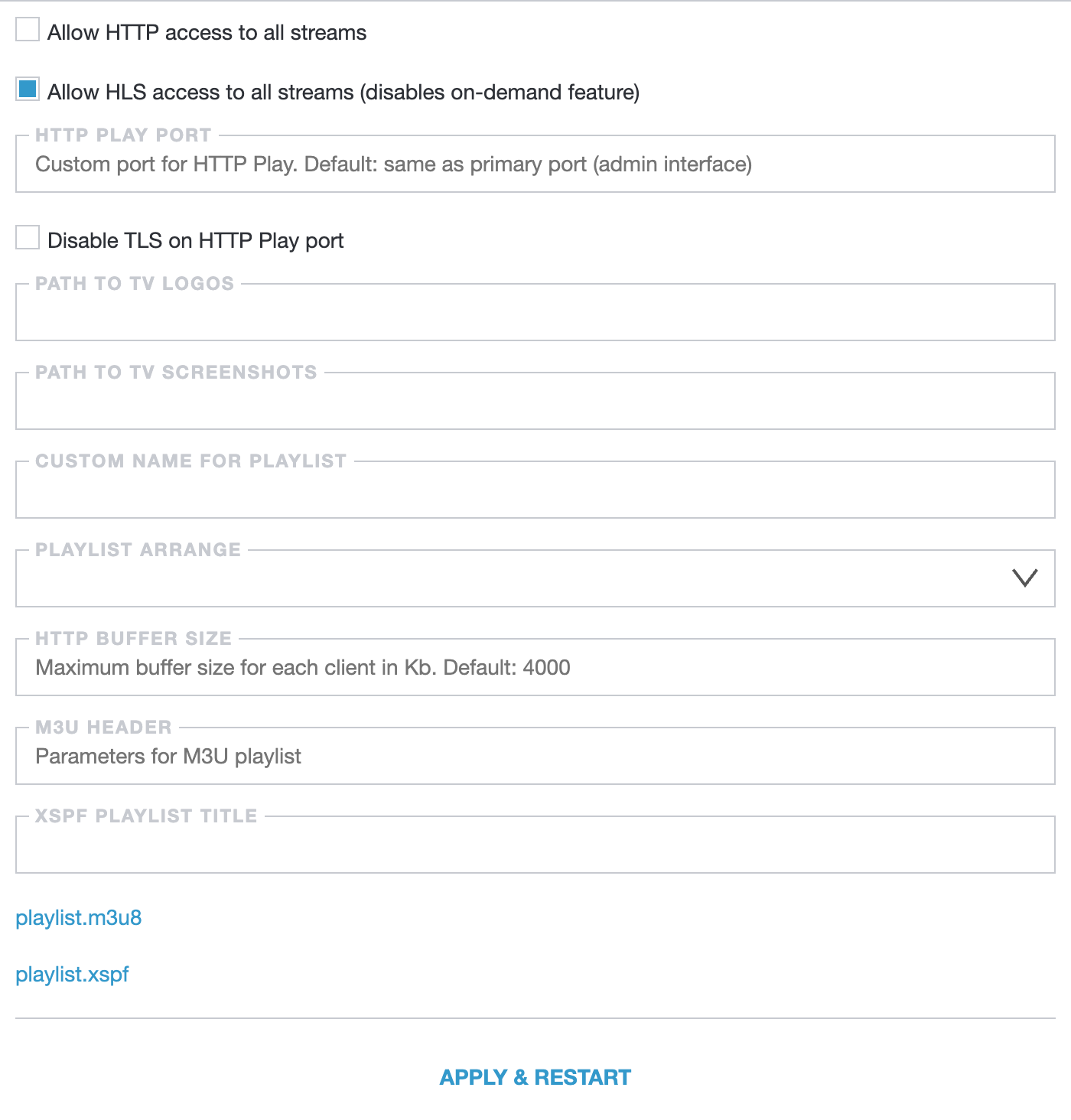
example.com- your server IP address8000- is a port to HTTP Play, by default it equal to the Astra Web Interface port, but could be customized in the HTTP Play settingsplaylist.m3u8- playlist file name, also could be customized in the HTTP Play settings
Channel Groups
Section titled “Channel Groups”For better navigation channels in playlist could be grouped. To do that create new category in the Settings → Groups. Read more how to create Channel Groups.
Then select created category in the HTTP Play settings, option Playlist Arrange.
Channel Logos
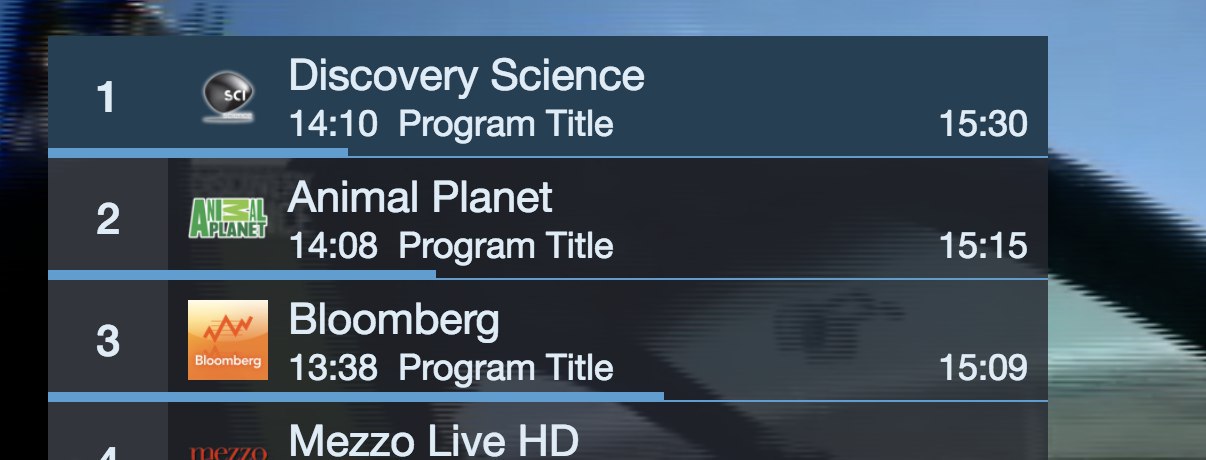
Section titled “Channel Logos”Some players and middleware solutions display channel logos alongside their names in the channels list.
To begin, download archive with logo images from: http://epg.one/epgone_transparent_logo.zip You may download and extract archive on your server using the following commands:
mkdir -p /var/lib/astracd /var/lib/astracurl -LO http://epg.one/epgone_transparent_logo.zipunzip it999_transparent_logo.ziprm it999_transparent_logo.zipIn the Settings → HTTP Play → Path to TV logos, set the path as /var/lib/astra/it999_transparent_220x132. Please, note the directory name is for example above.
The provided archive includes logos in PNG format, with filenames matching the channel names. With these steps completed, the playlist will now include the tvg-logo option for each channel.
Electronic Program Guide
Section titled “Electronic Program Guide”Some players and middleware solutions display current and upcoming events for channels. The Electronic Program Guide (EPG) can be exported to the player in XMLTV or any other format supported by the player.
In the Astra Settings → HTTP Play → M3U Header, set option
url-tvg="https://teleguide.info/download/new3/xmltv.xml.gz"Line will be added to the playlist header and provide information about EPG location. This URL is just an example, you can use any other EPG source or explore our solution, EPG Aggregator.
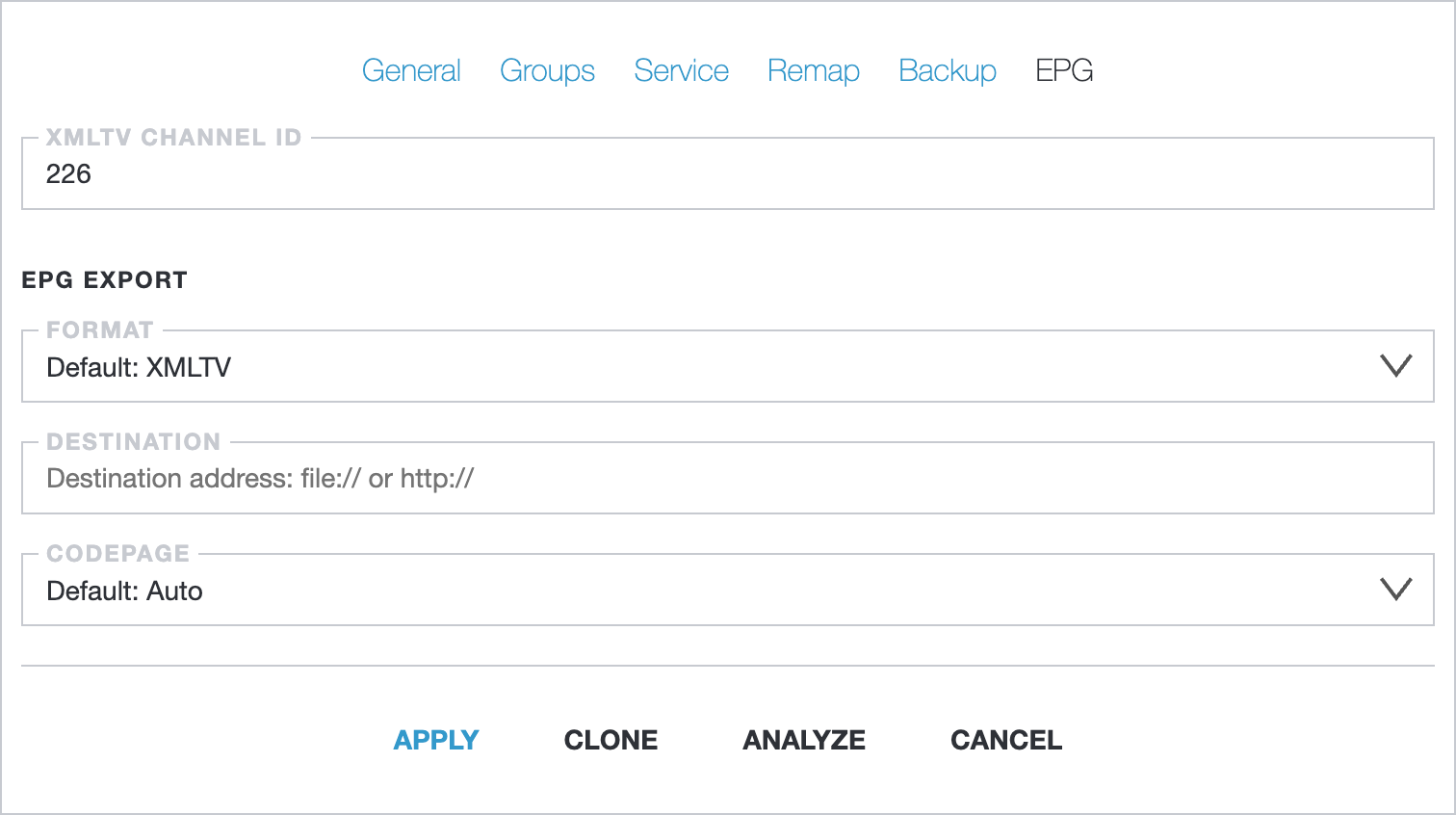
The final step is a configuring channel ID to link your channels with EPG records. Each channel in the XMLTV has unique identifier, like so:
<channel id="226"> <display-name lang="en">Discovery Channel</display-name></channel>In Astra, navigate to the Channel settings, open EPG tab, and set the XMLTV Channel ID value to 226: