
HLS for Broadcasting
When you send HLS streams to broadcasting networks like satellite, cable, or terrestrial TV, you might see problems like pixelated video, audio drift, or clicking sounds. The same streams work fine on computers. This happens because HLS and broadcasting networks handle video data differently.
Video Encoding
Section titled “Video Encoding”Video encoding compresses video data to make files smaller.
Frames
Section titled “Frames”Video streams use different types of frames:
- Keyframe (I-frame) - contains a complete picture
- Subsequent frames (P-frames and B-frames) - only store changes from the previous frame
GOP (Group of Pictures)
Section titled “GOP (Group of Pictures)”GOP is a sequence that starts with a keyframe followed by several subsequent frames. For example, a GOP of 30 means one keyframe followed by 29 other frames. Larger GOP sizes mean fewer keyframes, which reduces file size but creates bigger bitrate spikes when keyframes appear.
Stream Bitrate
Section titled “Stream Bitrate”Broadcasting networks need video frames delivered at exact times to keep audio and video in sync. This requires a steady, predictable bitrate. You need to balance GOP size and video quality to maintain consistent bitrate for smooth broadcasting.
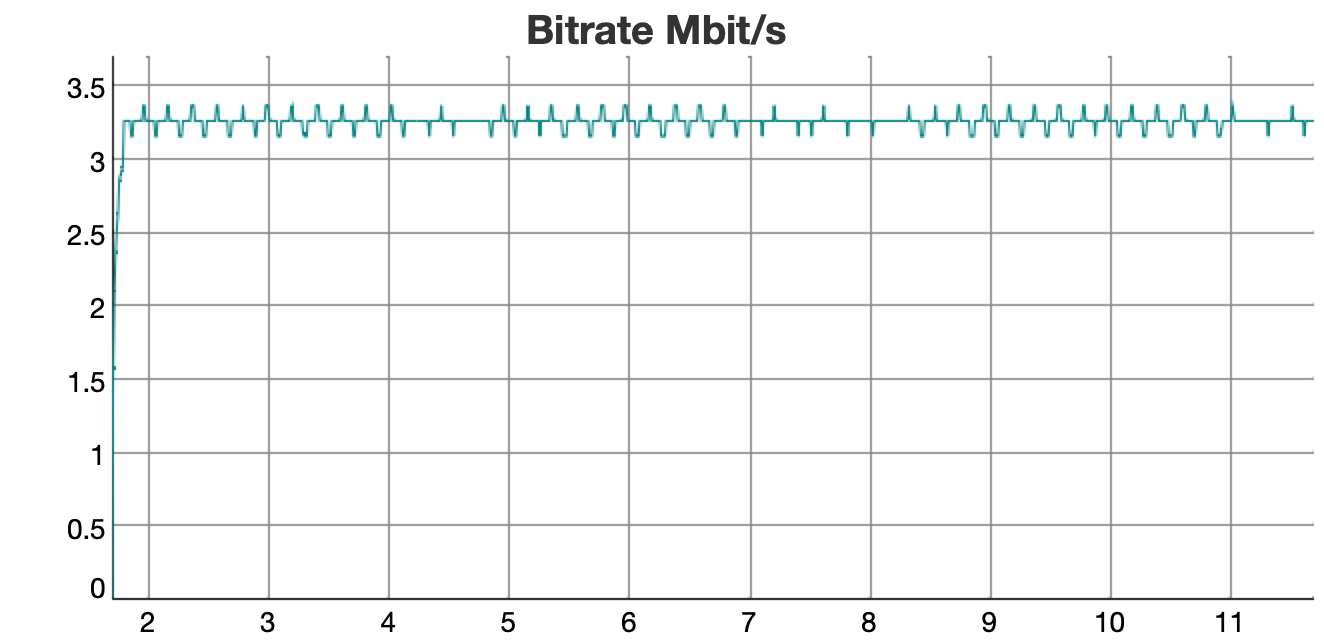
HLS works differently. It sends video in chunks of several seconds (usually 3+ seconds), so it can handle bitrate changes better. This allows HLS to use larger GOP sizes and get better video quality with lower average bitrate.
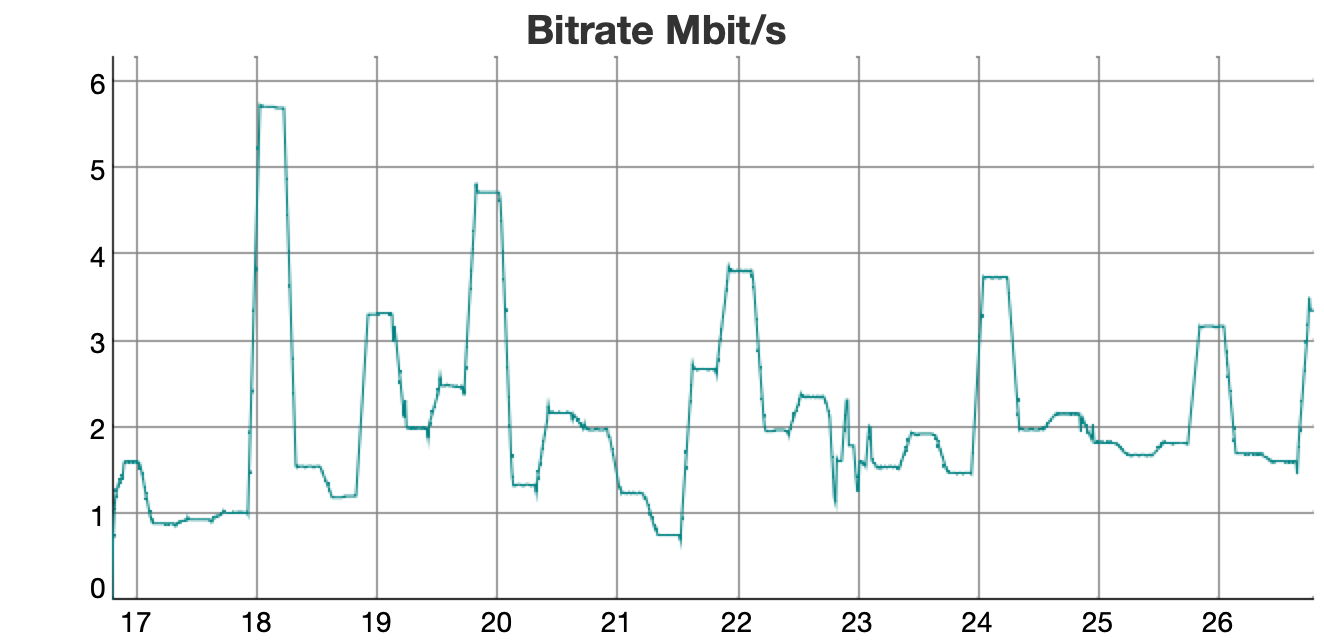
The chart shows that HLS streams average 2 Mbps but can spike to 6 Mbps.
This flexibility causes problems for broadcasting networks, which need consistent bandwidth. When you use HLS streams with broadcasting systems, you must adjust the encoding to match broadcasting requirements.
Bitrate Peaks and UDP Broadcasting
Section titled “Bitrate Peaks and UDP Broadcasting”Bitrate spikes also cause problems with UDP broadcasting. Set-top boxes and TVs have small network buffers. When too many packets arrive at once during bitrate spikes, the buffer overflows and packets get lost.
Solution
Section titled “Solution”Astra has no built-in transcoding capabilities. You need to transcode the stream using external tools like FFmpeg. Try these settings:
- Reduce GOP size: Use around 30 frames for better motion quality and smaller bitrate spikes
- Enable interlacing: Provides smoother motion, especially for broadcasting
- Use CBR (Constant Bitrate): This fills bitrate gaps with null packets to achieve a constant rate