
External DVB-CI
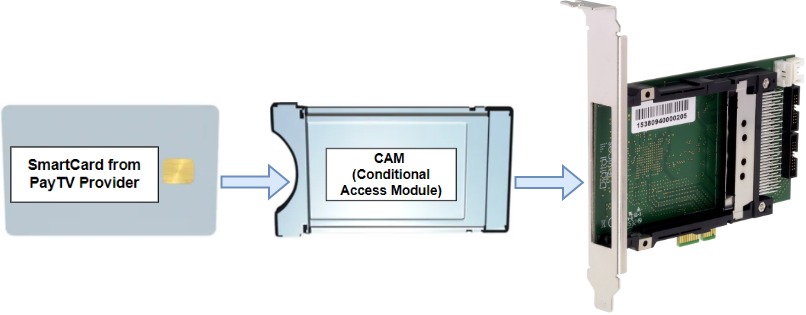
Many TV providers encrypt their channels using Conditional Access Systems (CAS). DVB-CI (Common Interface) allows you to use a Conditional Access Module (CAM) and smart card to descramble these channels. External DVB-CI adapters provide a flexible way to connect CAMs to Astra.
Advantages of External DVB-CI
Section titled “Advantages of External DVB-CI”- You can group encrypted channels from different sources and decrypt them with a single CI module
- Channels can be received on one server and decrypted on another. This is useful if you use SAT>IP receivers. You may have Astra server with CI cards stored in the server room, while SAT>IP receivers are located closer to the roof where satellite dishes are mounted. Read more about Receiving SAT>IP with Astra
Requirements
Section titled “Requirements”- You need an external DVB-CI adapter. Tested models include:
- Conditional Access Module (CAM)
- SmartCard from broadcaster
Create MPTS
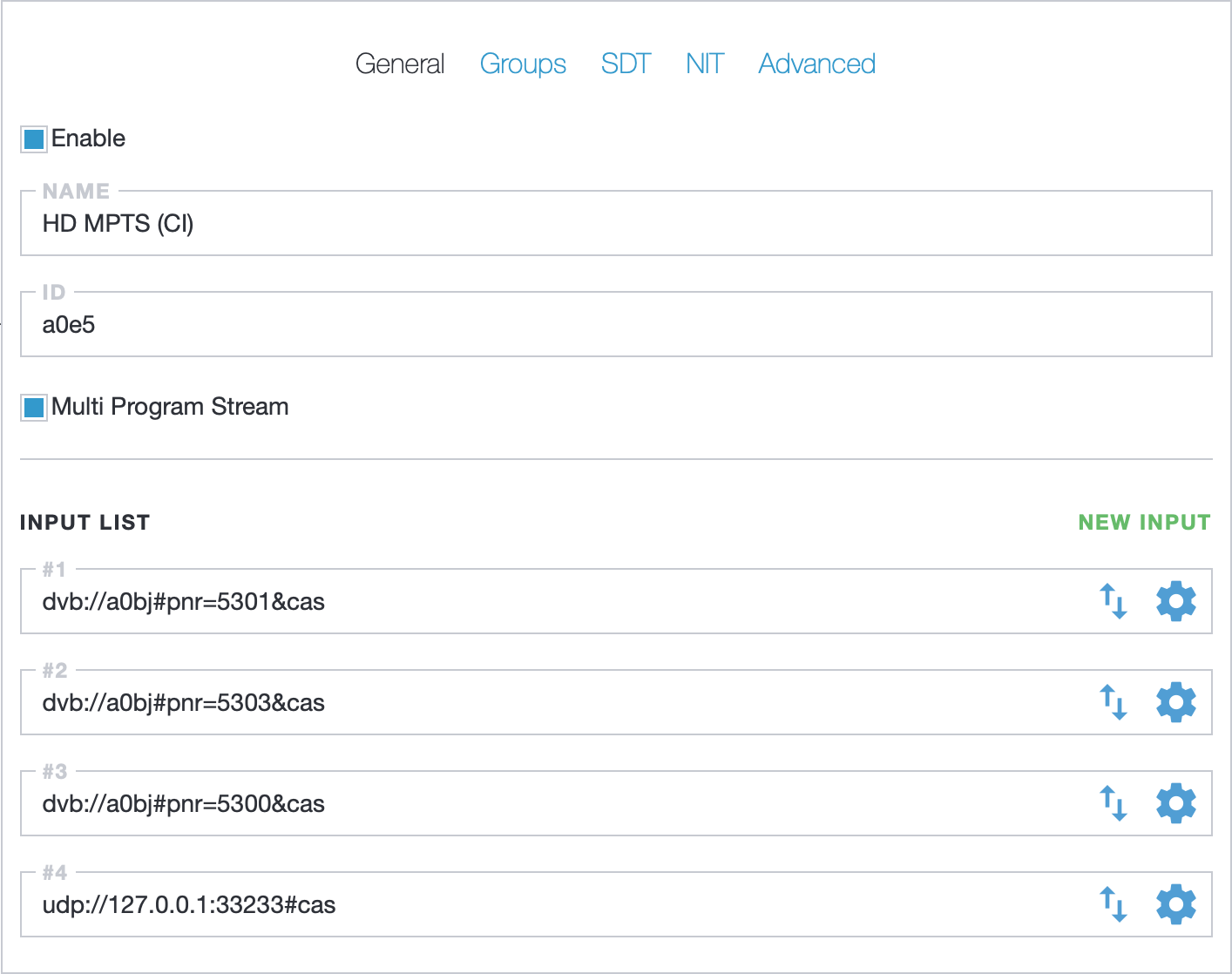
Section titled “Create MPTS”In Astra settings, create an MPTS stream to collect all channels from different sources.
For each input in the MPTS, add the cas option to the source address. With this option, Astra passes all necessary data required for channel decryption to the CAM.
Create Virtual Adapter
Section titled “Create Virtual Adapter”Create New Adapter in the Astra Web Interface with the CI value in the Virtual field. Save adapter settings by clicking the Apply button
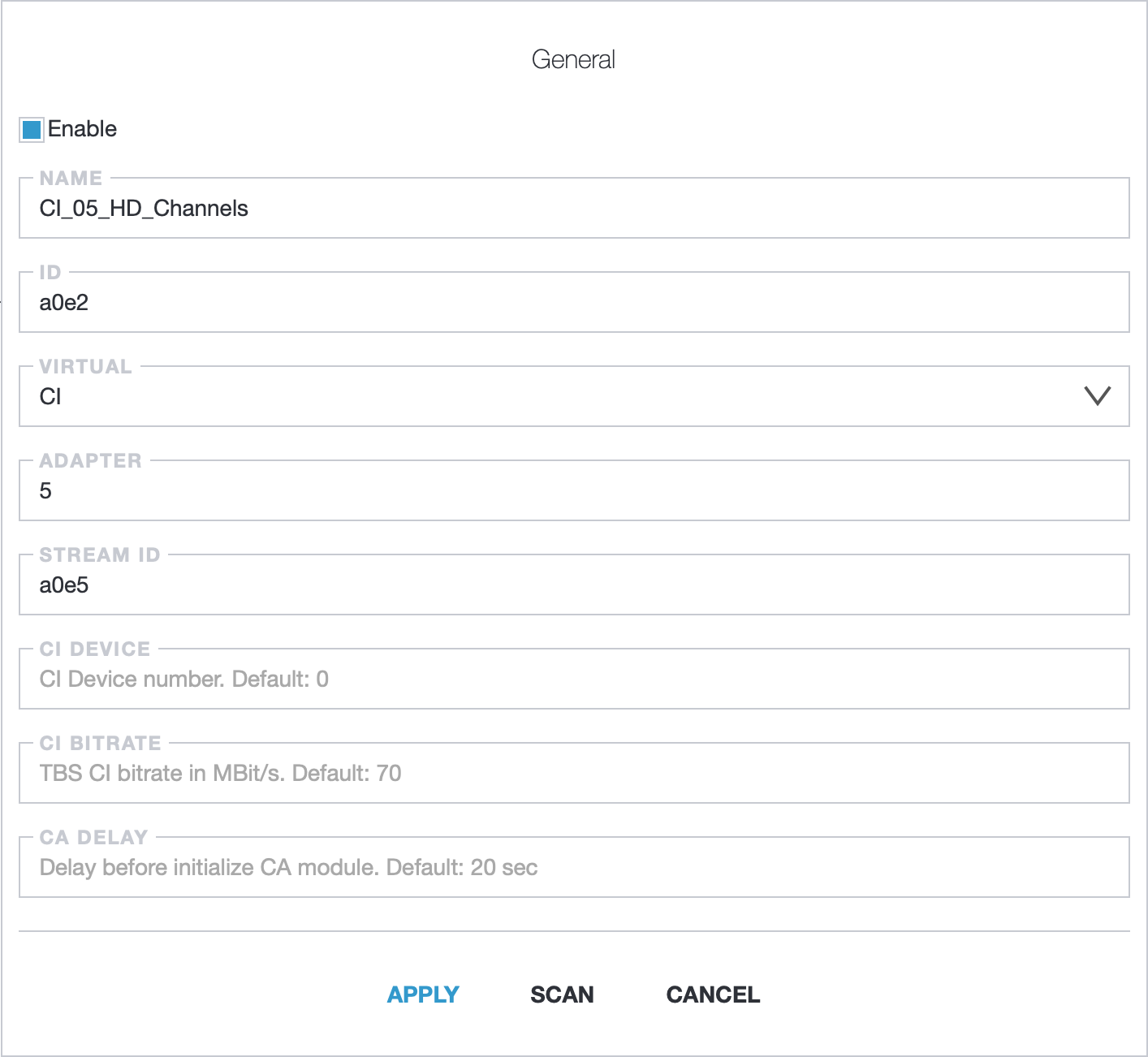
CI options:
- Name: adapter name
- ID: unique identifier. Leave blank to auto-generate
- Virtual: select CI option
- Adapter: number of the CI adapter in the system
- Stream ID: ID of the MPTS created earlier
- CI Device: device number on the CI adapter (default: 0)
- CI Bitrate: bitrate limit in MBps. Default for TBS:
70. For DigitalDevices, should be defined in the driver - CA Delay: delay (seconds) before sending channel info to the CAM. Default:
20
CI adapter number could be found with command:
find /dev/dvb/ -name ca*For example result will be:
/dev/dvb/adapter5/ca0Where:
5- CI adapter number0- device on the CI adapter
Scan adapter
Section titled “Scan adapter”Click Scan to read channel information from the adapter.
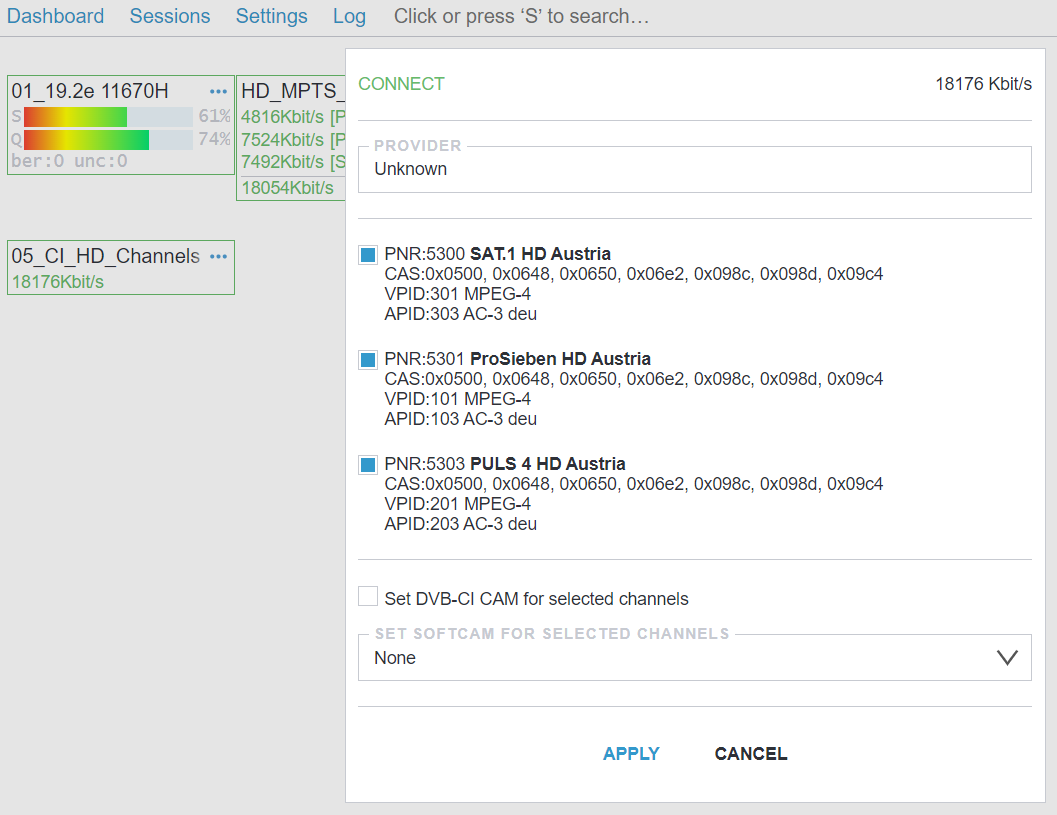
Select the channels you need, turn on the Set DVB-CI CAM for selected channels option, and press Apply to add them.

Troubleshooting
Section titled “Troubleshooting”For common CAM-related issues see CAM Troubleshooting.