
DVB Adapters Overview
DVB (Digital Video Broadcasting) is a set of international standards for digital television broadcasting. With Astra you can receive media content from various DVB networks, including satellite, cable, and terrestrial sources.
DVB Adapter
Section titled “DVB Adapter”To receive DVB signal on your server, you’ll need additional hardware: DVB Adapter. DVB Adapters are typically PCIe boards, although USB DVB Adapters are also available, but not recommended for production use.
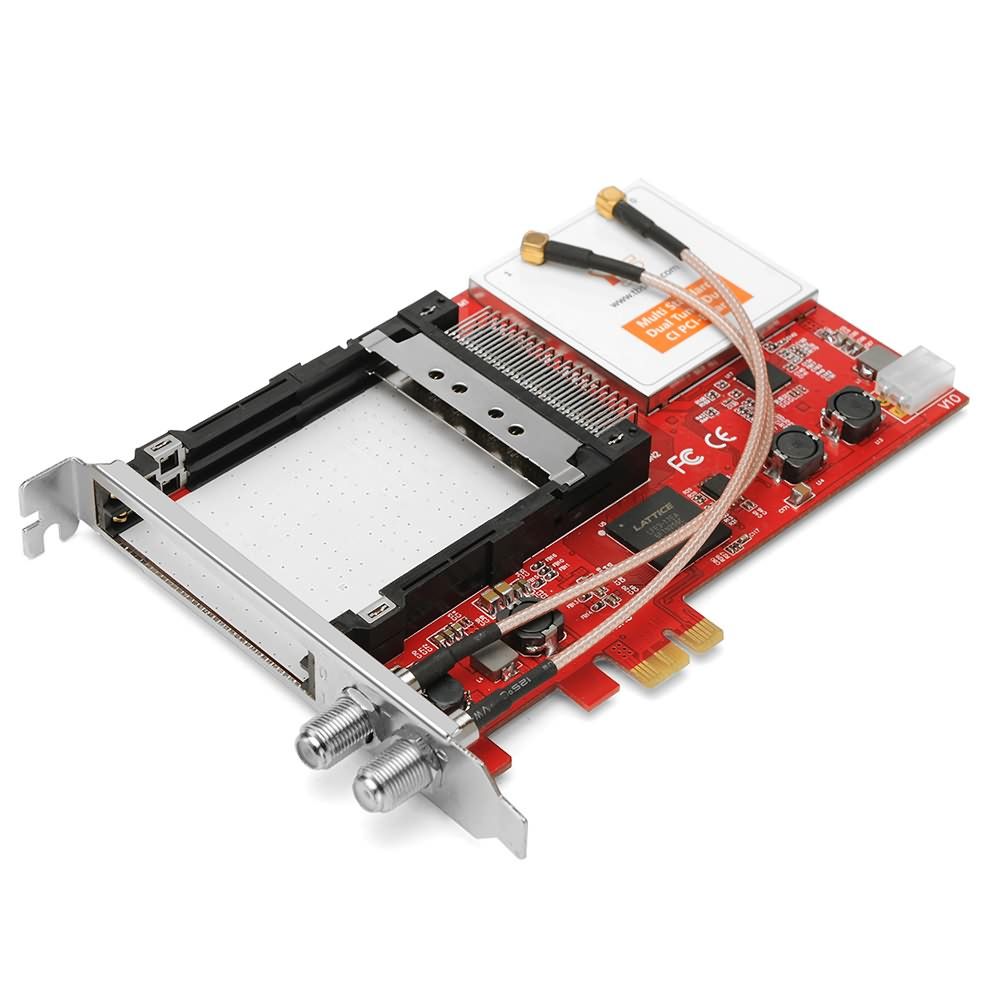
Key components of a DVB adapter:
- Tuner: also known as a frontend, this component receives the signal, converts analog to digital, and corrects errors
- Demultiplexer: responsible for processing the received MPEG-TS stream and filtering individual streams
- Common Interface (CI): some adapters come with an interface to connect conditional access modules for stream descrambling
We recommend DVB adapters by:
Prepare your system
Section titled “Prepare your system”Before you begin, make sure that the DVB Adapter is connected to your server and that the appropriate Linux driver is installed:
General options
Section titled “General options”To create new adapter click “New Adapter” in the main menu.
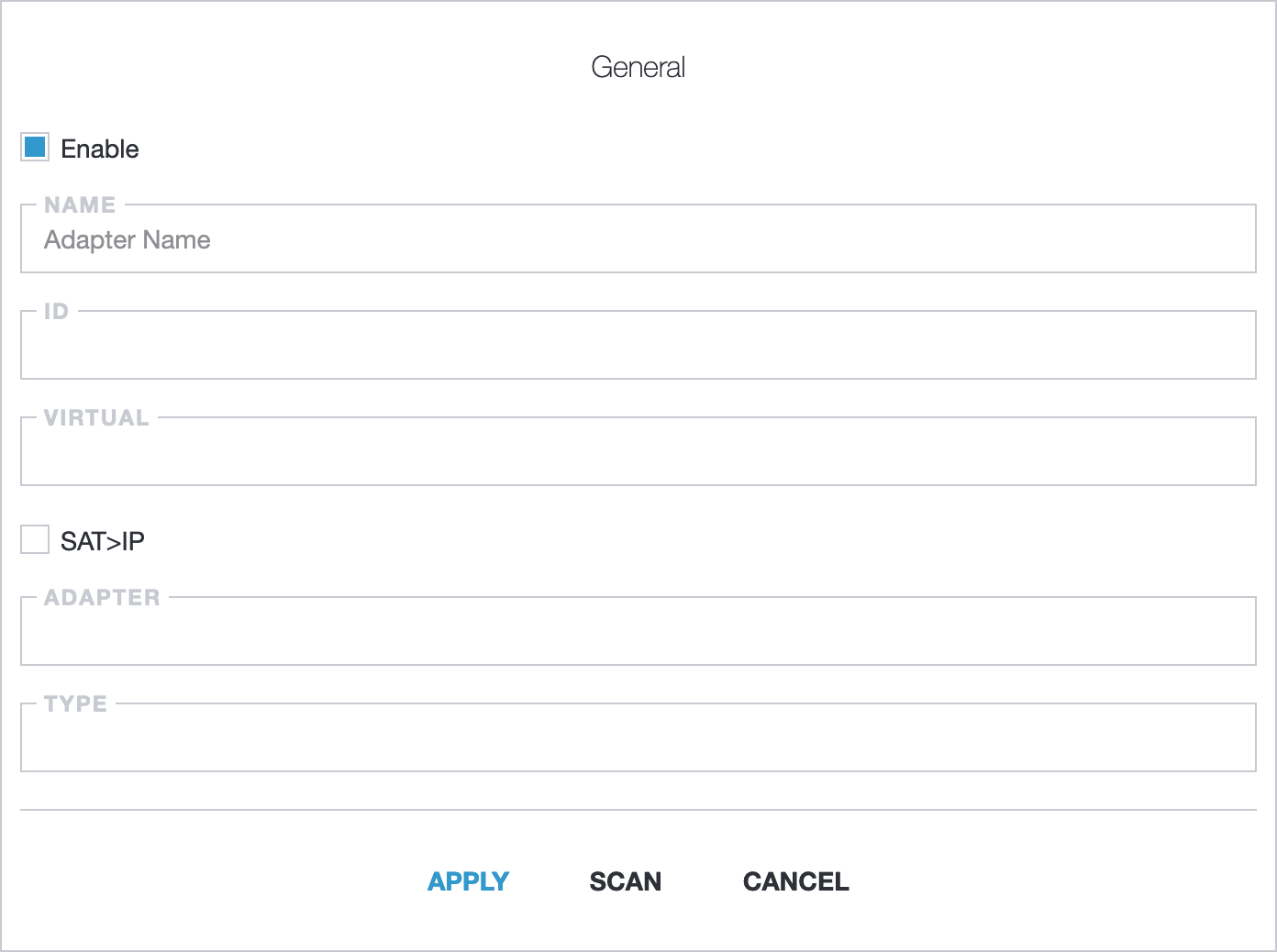
- Enable: turn adapter on/off;
- Name: adapter name;
- ID: unique adapter identifier. For new adapter you may keep this field blank and Astra generates it;
- Virtual: virtual adapters is custom interface to receive MPTS streams from different sources like SAT>IP, UDP, CI-Adapters;
- SAT>IP: use adapter on remote server over SAT>IP protocol (deprecated, use Virtual - SAT>IP instead);
- Adapter: select system devices;
- Type: select adapter standard.
External CI options
Section titled “External CI options”External CI is a DVB-CI adapter like DigitalDevices Octopus Twin CI or TBS 6900
- CI: adapter number for DVB-CI device;
- CI Device: device number on DVB-CI adapter;
- CI Bitrate: bitrate for TBS DVB-CI adapter in Mbps. Default: 70.
Advanced options
Section titled “Advanced options”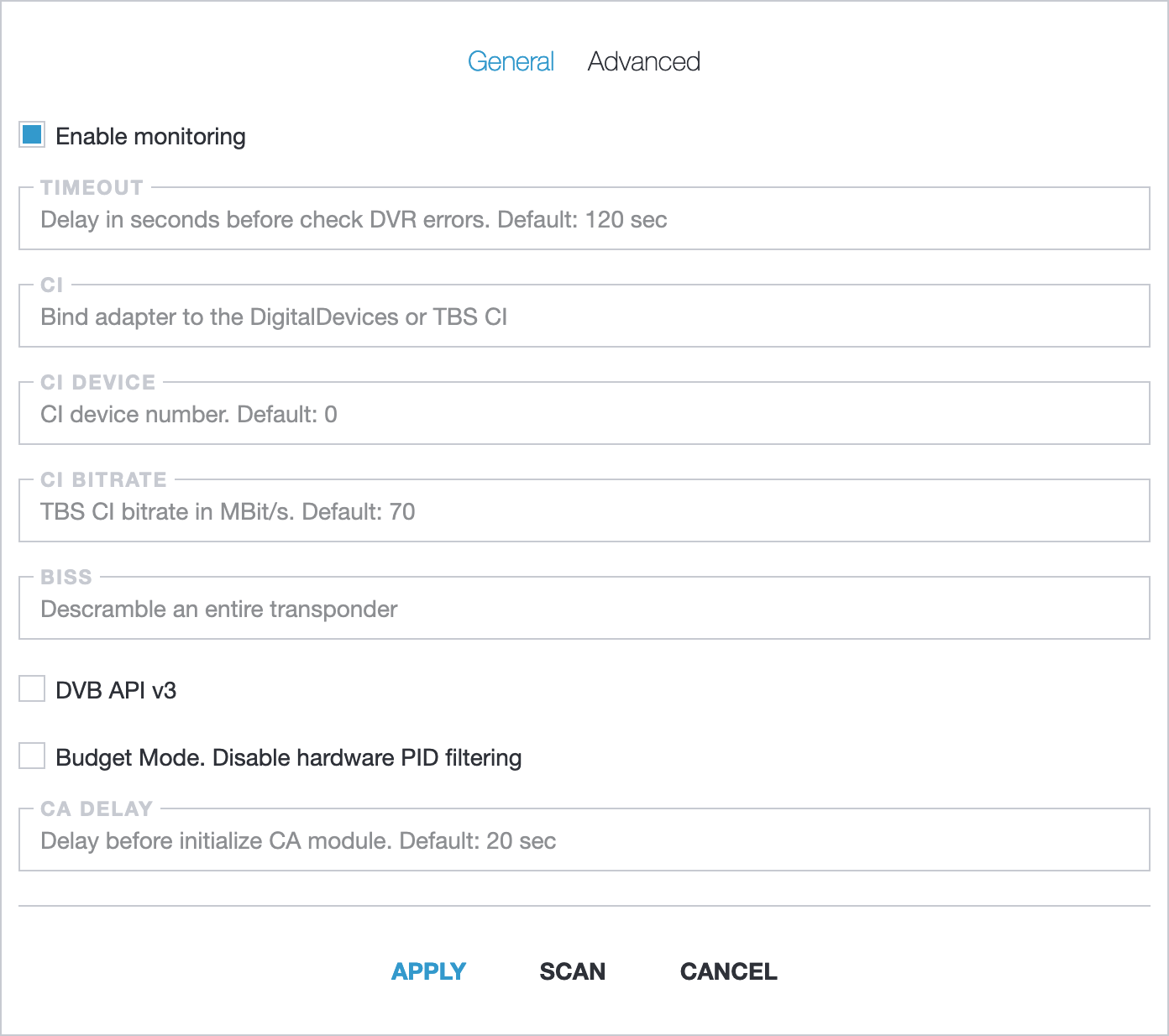
- Enable monitoring: enable telemetry sending to Zabbix or InfluxDB;
- Timeout: check DVR errors in defined interval. Default: 120;
- BISS: descramble an entire transponder;
- DVB API v3: use deprecated API to read information from Adapter;
- Budget Mode: disable hardware PID filtering. In budget mode Astra receives whole transponder from adapter;
- CA Delay: delay between sending control packets to Conditional Access Module (CAM).
DVB Type
Section titled “DVB Type”Other options depends of the selected adapter type:
Once your adapter is configured, you can check the signal quality and scan it for available channels. Read more: Scan DVB Adapter
Troubleshooting
Section titled “Troubleshooting”If you have any issues with starting DVB adapter please check our guide: Troubleshooting